VRBO Smart Pricing Strategies and Tools Guide 2026


VRBO Smart Pricing
Tools that help vacation rental managers
Rate Automation handles your calendar. It does not handle the guest messages, inquiry spikes, and value questions every price change triggers. Here is what the tool actually controls, and what stays on you.
Most vacation rental property managers and operations leads think: once dynamic pricing is set up, whether through VRBO's Rate Automation or a third-party tool, pricing runs itself, and they can focus on operations. The remaining manual work is just part of the job. That assumption is understandable.
Most VRBO hosts who enable Rate Automation feel genuine relief. The calendar updates itself, rates shift with demand, and the mental load of daily competitor checks seems to lift. That feeling is real.
But it only covers half the job. Rate Automation is a pricing input tool. It does not touch what happens after the price changes.
And in a busy portfolio, what happens after is where the operational weight actually lives. For years, VRBO hosts had no native dynamic pricing option. Airbnb had already built Smart Pricing into its platform; VRBO hosts were setting rates manually or paying third-party tools to fill the gap.
See our AI for hospitality for how this works in practice.
As reflected in VRBO's own help documentation, Rate Automation accessed through MarketMaker in the Owner Dashboard is the platform's direct answer to that gap. Rate Automation analyzes real-time demand signals, local competitor pricing, and historical booking data, then adjusts nightly rates on a regular automated cycle, a pattern consistent with how automated pricing tools broadly behave across the market. Hosts set a minimum and maximum price boundary, and the tool moves rates within that range without manual calendar edits.
Rate Automation does not handle a single guest interaction that its own price changes trigger. A multi-property manager still fields "why did my rate drop after I booked?" messages manually after every algorithmic adjustment.
Booking surges after a discount fire into a human inbox. Value-justification questions arrive at odd hours with no triage. Every automated rate change is also an operational event, and Rate Automation has no mechanism to touch any of them.
That gap is structural, not a bug waiting to be patched. The downstream communication burden compounds precisely because automated pricing moves faster than any manual communication workflow can follow. Rate Automation is a genuine step forward for VRBO hosts, but using it confidently requires understanding exactly how it makes decisions: which data sources it weighs, how often it updates, and why that update cadence matters more than most hosts realize.
That mechanism is what the next section unpacks.
Key takeaways
- VRBO Rate Automation adjusts nightly prices every 24 to 48 hours using live market data, but it only moves VRBO rates, leaving any host on Airbnb or Booking.com pricing half their inventory blind.
- Minimum and maximum rate limits are not optional guardrails, they are the only thing standing between the algorithm and a rate floor that doesn't cover your actual cost structure.
- Third-party tools like PriceLabs, Beyond, and Wheelhouse sync rates across all OTAs simultaneously; Rate Automation cannot, which makes the choice between them a distribution decision, not just a pricing one.
- Every rate change the algorithm fires is also a guest communication event, a price that shifted since inquiry, a discount that needs explaining, a check-in message that now references a stale number.
- Erwan Le Roy's 35-property operation hit 96% automation not by optimizing rates but by eliminating every manual touch between inquiry and stay.
- The gap between a priced listing and a booked, satisfied guest is where portfolio growth actually stalls, and it's a coordination problem, not a pricing one.
- Conduit's native integrations with Google Drive, Notion, Airbnb, and Airtable close that gap by pulling your property knowledge into guest conversations automatically and pushing contact and conversation data back out to the tools your team already uses, no manual relay required.
How Does VRBO Rate Automation Work? Mechanism, Data Sources, and Update Frequency
Most hosts treat VRBO's pricing tools as a single system, but Rate Automation and MarketMaker are distinct layers with different jobs, and conflating them leads to real confusion about why your calendar rates look the way they do. Understanding what Rate Automation actually ingests, where its data stops, and how often it acts gives you a clearer picture of what you can rely on and where you need to compensate. That clarity matters whether you operate on VRBO alone or across multiple platforms.
Rate Automation adjusts your nightly rates every 24 to 48 hours using live market data, but understanding what it is actually reading, and what that update cycle produces operationally, changes how you plan around it entirely.
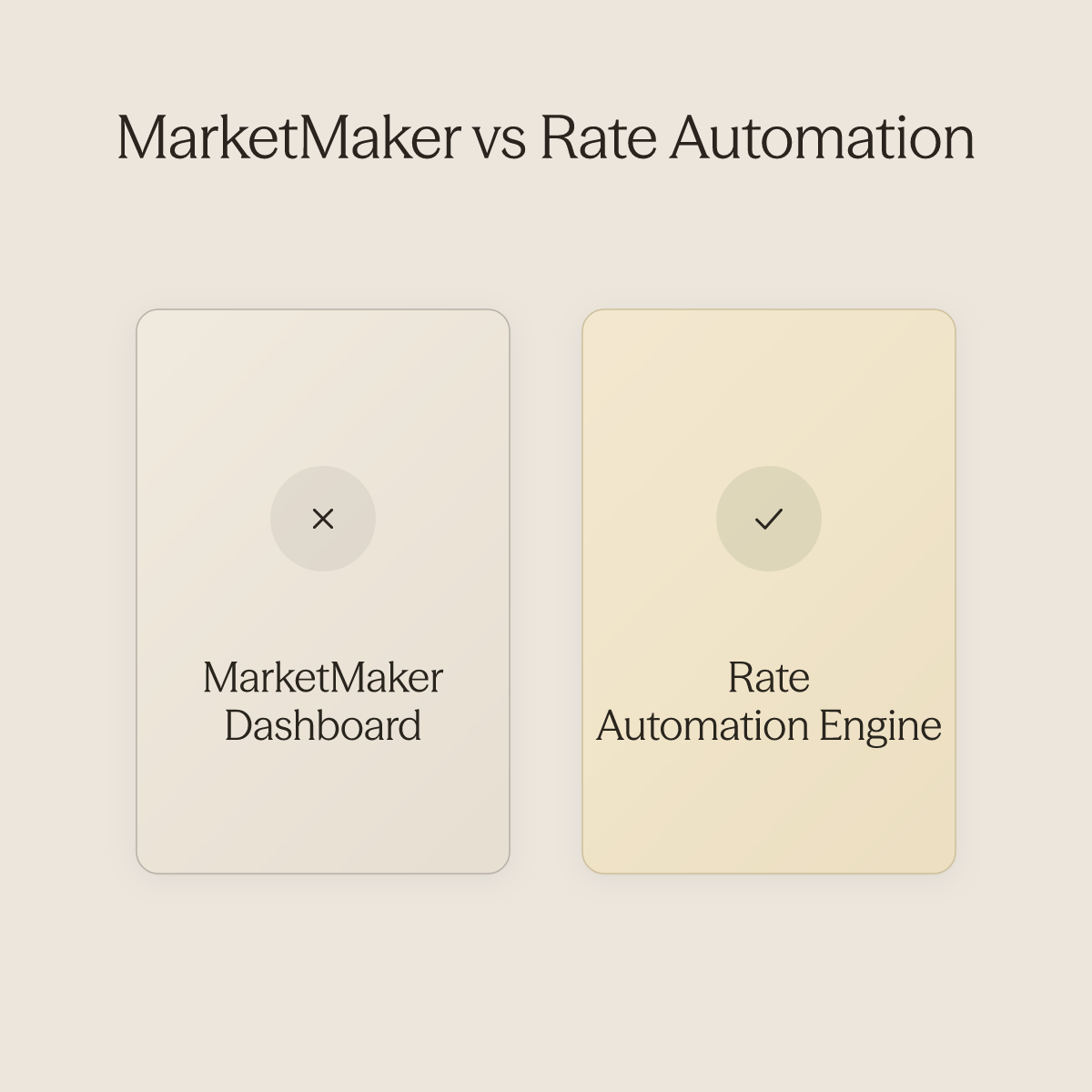
MarketMaker Is the Dashboard; Rate Automation Is the Engine Inside It
MarketMaker is the pricing dashboard inside your VRBO Owner Dashboard. Rate Automation is the dynamic pricing engine that lives within it. The distinction matters because hosts often conflate the two, then get confused when MarketMaker surfaces a "suggested rate" that looks nothing like what Rate Automation actually pushed to their calendar. MarketMaker shows you market context; Rate Automation acts on it. According to Help documentation (2024), Rate Automation is a free tool requiring no third-party subscription or technical configuration.
What Data Sources VRBO Rate Automation Actually Pulls From
Rate Automation ingests three inputs:
- Demand signals for your market
- Competitor pricing from other VRBO listings
- Your property's historical booking data
What it does not pull from is Airbnb, Booking.com, or any off-platform signal. If your competitive set is pricing aggressively on other OTAs and holding rates on VRBO, Rate Automation will not see the full picture. The result is a demand-based pricing engine that is accurate within its lane but structurally blind outside it. For single-platform VRBO operators, that is a reasonable trade-off. For multi-OTA portfolios, it is a genuine gap.
The 24 to 48 Hour Update Cycle Creates Predictable Inquiry Spikes
A host notices their nightly rate dropped $40 on a Wednesday morning. That is Rate Automation responding to a competitor's price cut detected in the prior update cycle. The rate drop is the visible event. The less visible event is what happens next: guests searching that price point see the listing, click through, and send inquiries, on the algorithm's schedule, not your team's.
Key takeaway: Every rate recalculation is also a guest communication event waiting to happen.
Most teams focus entirely on whether the rate is correct and miss the operational window that opens immediately after. Platforms like Conduit's AI for hospitality pull live VRBO listing and calendar data so an AI agent can handle that inquiry wave automatically, without a human monitoring the inbox for the right moment to respond.
Rate Automation Is a Bounded Engine, Not a True Autopilot
This is the core claim that most coverage of Rate Automation misses entirely: activating it does not remove you from the pricing decision, it restructures which parts of that decision remain yours.
How to Control VRBO Rate Automation - Min/Max Limits, Overrides, and Seasonal Rules
Rate Automation performs within whatever strategic boundaries you define for it. Set no boundaries, and the algorithm fills your calendar at prices that may cover demand signals it can read while missing the revenue floor your cost structure actually requires. The controls built into Rate Automation, minimum and maximum rate limits, manual overrides, seasonal exclusions, and discount layering, are not optional refinements for power users. They are the architecture the tool was designed to operate inside.
One thing worth naming plainly: many hosts approach Rate Automation with genuine distrust. They suspect the recommendations are miscalibrated relative to actual market conditions, or that the tool is simply broken when it surfaces rates that feel wrong. That distrust is not irrational. It is what happens when hosts engage the tool without first establishing the guardrails that make its output meaningful.
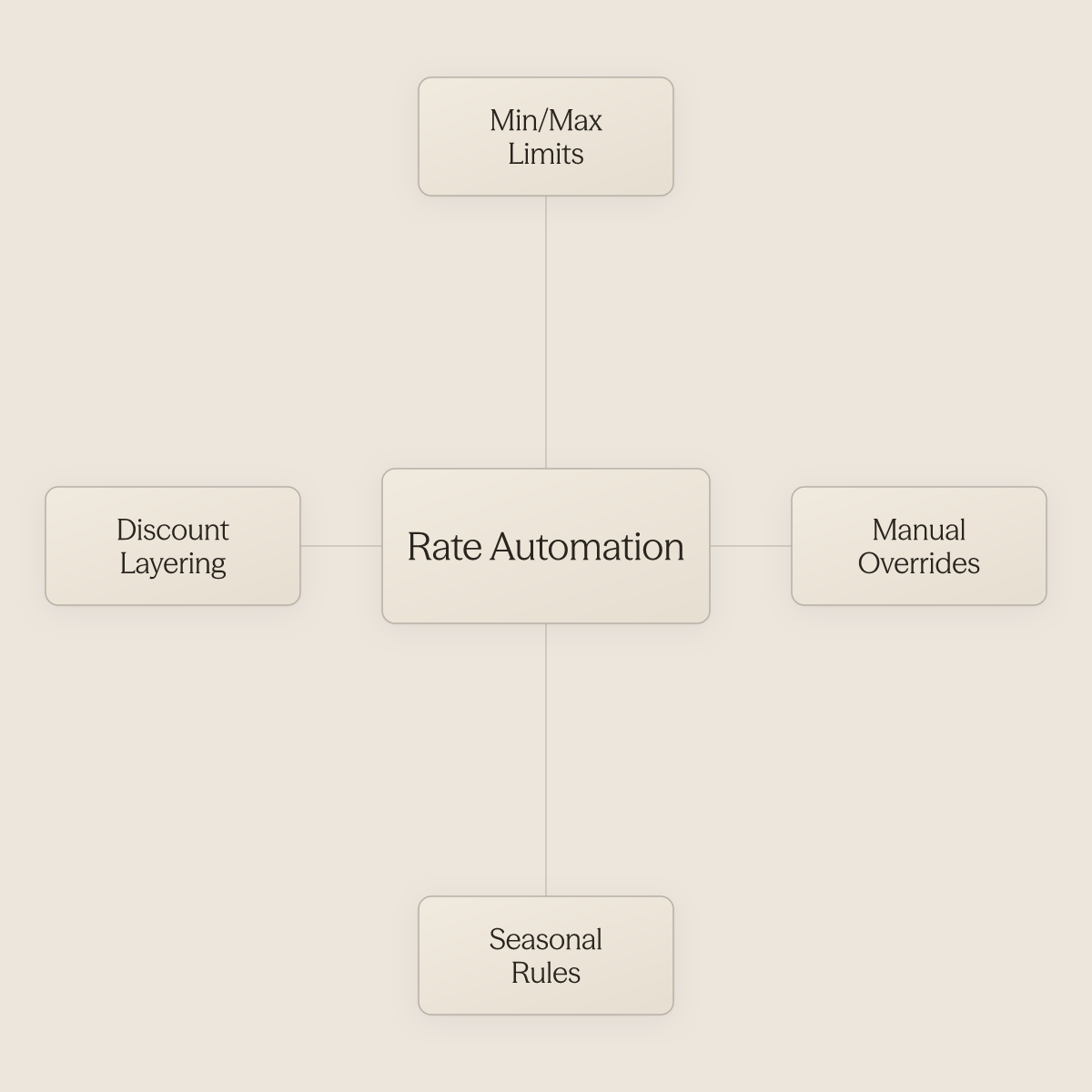
The algorithm is not broken. It is operating without the constraints that were designed to bound it. Setting those constraints requires no IT involvement, no developer, and no third-party configuration.
The operator sets the rules directly.
Your Minimum Rate - A Cost-Structure Decision, Not a Pricing Preference
It is not a conservative guess at what the market will bear on a slow Tuesday. It is the number below which you lose money, or at minimum, stop building toward your investment return. Hosts who set a minimum rate by feel routinely discover that Rate Automation fills slow weeks at prices that do not cover cleaning fees, platform commissions, and carrying costs combined.
Across the broader setup guidance for Rate Automation, hosts must set a minimum nightly rate when enabling the tool, specifically to prevent the algorithm from pricing below their cost floor. VRBO's own setup documentation reinforces that the minimum rate field is a required input, not a suggestion. Calculate your floor from actual costs first, then enter that number.
A host with a $95 all-in cost floor who sets their minimum at $80 is not being competitive; they are subsidizing their guests.
Maximum Rate Limits - Capturing Peak Upside Without Losing the Page
Set your maximum too low and Rate Automation leaves peak-season revenue on the table. Set it too high and your listing drops off the first page of search results during the exact window when demand is strongest. The right maximum is a function of your competitive set on VRBO, not an aspirational number. Review what comparable listings in your market actually book for during your highest-demand weekends, then set your ceiling at or just below the top of that range.
Key takeaway: Both the minimum and maximum together define the band inside which the algorithm operates. Remove either bound and you are no longer running a controlled pricing strategy; you are running an unconstrained one.
As Hospitable notes, this is why both limits matter equally.
Manual Overrides for Specific Dates - When to Take Back the Wheel
Hosts can override automated rates for specific dates at any time, and this feature exists for a precise reason: the algorithm works from historical and platform-wide demand data, which lags real-time signals. A local festival announced six weeks out, a major sporting event, or a last-minute venue cancellation that floods your market with displaced travelers will not register in Rate Automation's data fast enough to capture the full pricing opportunity. This is precisely the scenario where distrust of the tool's output is well-founded, not because the algorithm is malfunctioning, but because it genuinely cannot yet see the event.
Manual overrides are not a workaround; they are the designed response to information the algorithm cannot yet see. Rate Automation documentation makes clear that overrides for specific dates are available to any host at any time and require no special access or configuration, the operator sets them directly.
Seasonal Rules and Date Exclusions - Protecting Your High-Value Calendar
Seasonal rules let you carve specific date ranges out of Rate Automation entirely, handing pricing control back to you for periods where you have stronger market knowledge than the algorithm does. Holiday weekends, local peak seasons, and shoulder-period gaps where your property commands a premium based on factors Rate Automation cannot weight are all candidates for explicit seasonal rules. As Hospitable's setup guide details, these exclusions are configured by the operator without technical assistance, no IT handoff, no platform support ticket. You define the range, set the rate, and the algorithm steps aside for those dates. The result is a pricing structure that combines algorithmic efficiency across your standard calendar with deliberate, human-owned control over the dates that drive the most revenue.
How to Set Up and Enable Rate Automation in the VRBO Owner Dashboard
Rate Automation's setup sequence takes less than ten minutes, but the configuration you finish today is not meant to last forever. Guardrails calibrated in January can quietly undercut your peak-season ceiling by March, or price out shoulder-season guests who would have booked at a modest discount. Treating that initial pass as a permanent state is where most hosts lose ground, not in the setup itself, but in the months that follow it. A monthly review habit, started from day one, is what separates hosts who earn more from the tool from those who simply have it turned on.
"Owners are confused by how MarketMaker (the field's rate automation tool) calculates and displays pricing recommendations, finding the stats difficult to interpret or trust."
Pros and cons at a glance
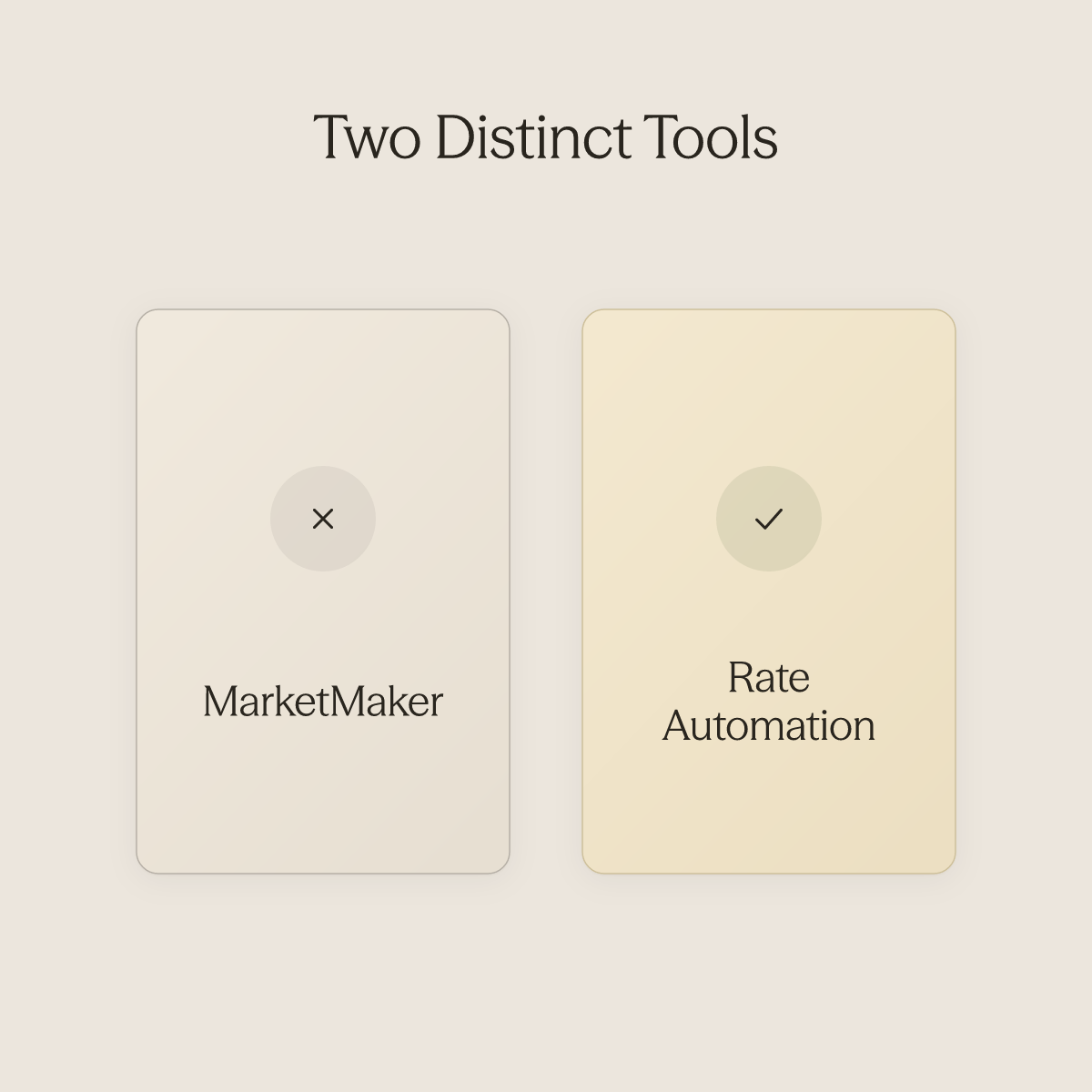
One point of confusion worth flagging: MarketMaker and Rate Automation are two distinct things. MarketMaker is the dashboard container that surfaces market-condition data and occupancy benchmarks. Rate Automation is the separate pricing engine that lives inside it.
One of the most consistent struggles hosts encounter at this stage is that MarketMaker's stats are genuinely difficult to interpret, the pricing recommendations can feel opaque, and it is easy to look at the numbers and not know whether to trust them or act on them. Hosts who conflate the two often assume reviewing MarketMaker stats means their automated rates are performing well, it does not. Read the market data and the automation status as two separate checks, every time.
Set Your Floor and Ceiling First, Not After
The minimum and maximum rate fields appear during setup, and they are the most consequential inputs you will make. VRBO's setup documentation confirms that Rate Automation will never price a night below your floor or above your ceiling. A floor set too low becomes a silent revenue leak every time demand spikes, and a ceiling set too high pushes shoulder-season dates past the market clearing price and leaves them empty. Set your floor at your true cost-to-host and your ceiling at a number you would genuinely accept, not placeholders you plan to revisit later.
Verify Coverage Before You Walk Away
After enabling Rate Automation, open the calendar view inside the dashboard. VRBO's setup documentation notes that the calendar distinguishes between dates covered by automation and dates that are excluded, such as manually priced nights or blocked periods. Confirm every date range you care about shows as active. This step is more consequential than it appears: a known failure mode is that Rate Automation can ignore user-defined exclusions, causing unintended pricing changes across the entire calendar, including dates you specifically meant to protect. Before walking away from setup, work through the following:
- Audit every excluded date intentionally and confirm it appears excluded in the calendar view
- If a date appears excluded unintentionally, remove the manual override or the block
- If a date you expected to exclude is showing as active, re-apply that override explicitly and re-verify
- Do not assume the system interpreted your intent correctly
- For hosts managing more than one property, repeat this audit for every listing
Running this calendar audit manually across a growing portfolio without a coordination layer in place is where oversight gaps compound. Conduit.ai's Workflows feature is designed for exactly this kind of recurring, predictable operational checkpoint, triggering a structured review task after a defined event in the guest lifecycle so the audit happens on schedule without requiring a human to remember it.
The 10-Minute Monthly Review That Prevents Rate Drift
Rate Automation updates nightly rates every 48 hours using MarketMaker's market data, per published feature documentation. That cadence responds to demand shifts but does not self-correct when your cost structure or competitive position changes. Schedule a single monthly calendar block and confirm the following:
- Your floor still reflects your true cost-to-host
- Your ceiling is competitive for what the next 60 days of demand actually look like
- Your calendar coverage hasn't quietly drifted, re-verify exclusions every month, not just at setup, as the safeguard against the calendar-wide override issue described above
For hosts scaling toward a multi-property portfolio, this monthly discipline is also where the coordination burden starts to outpace manual capacity. Conduit.ai is built to enable portfolio expansion without proportional growth in support headcount, keeping guests, cleaners, contractors, and owners coordinated without requiring a human in every thread. The monthly rate review stays yours; the operational communication surrounding it does not have to.
Third-Party Pricing Tools for VRBO - PriceLabs, Beyond, Wheelhouse, and When to Use Them
Rate Automation cannot sync across platforms simultaneously. It only moves VRBO rates, which means any host distributing across more than one OTA is pricing half their inventory in the dark.
It cannot account for Airbnb or Booking.com occupancy gaps, or cross-platform booking velocity. The rates look dynamic. They are not.
They are single-channel guesses dressed up as strategy.
A common assumption is that cross-platform pricing tools are a graduation prize, something to add once the portfolio grows large enough to justify the subscription. In practice, the inflection point is not portfolio size. It is the moment a second OTA goes live.
When to Add a Guest Communication Layer to Your VRBO Pricing Stack
Most operators who adopt a third-party pricing tool, whether PriceLabs, Beyond, Wheelhouse, or Hospitable's built-in tools, assume the hard work ends once rates are optimized. It does not. A repriced listing that triggers an inquiry spike with no automated response layer means the revenue gain evaporates in slow reply times and missed booking windows.
1. Conduit.ai - Best for VRBO Operators Who Want Pricing and Guest Experience Working Together
While standalone pricing tools optimize rates in isolation, Conduit.ai layers AI-powered guest communication directly on top of your revenue strategy, automating inquiries, upsells, and booking conversion so higher VRBO Smart Pricing rates actually stick. Purpose-built for hospitality operators managing multiple properties, it's the right pick when revenue leakage from slow response times or missed upsell moments costs as much as mispriced nights. The tradeoff: it's not a rate-setting engine on its own, so it pairs best alongside a dedicated dynamic pricing tool.
2. PriceLabs - Best for Data-Driven VRBO Hosts Who Want Granular Control
PriceLabs gives multi-OTA operators a single pricing engine that syncs across Airbnb, VRBO, and Booking.com, with detailed control over minimum stays, seasonal rules, and market-based adjustments at the listing level. PriceLabs has expanded its integration set and cross-platform sync capabilities, making it a strong fit for operators who want to set precise rules and review the reasoning behind each rate. The real tradeoff: PriceLabs rewards engagement. Hosts who check in regularly outperform those who treat it as set-and-forget.
3. Beyond - Best for VRBO Hosts Who Prioritize Revenue Growth Over DIY Configuration
Beyond (formerly Beyond Pricing) takes an algorithm-forward approach to cross-platform pricing, pulling from a broad proprietary data set across STR markets to generate rates with less manual configuration than PriceLabs requires. It is the right pick for operators who want strong baseline performance without spending hours inside pricing dashboards. The limitation is the inverse of PriceLabs: less granular control means less ability to override the algorithm when local knowledge should outweigh market signals.
Related Reading
- How To Automate Airbnb Business
- Vrbo Management
- Airbnb Self Check In
- Vacation Rental Automation
- Best Apps For Short Term Rentals
- Best Pms For Airbnb
- Best Pms For Short Term Rentals
- Best Accounting Software For Short Term Rentals
- How To Manage A Vacation Rental Property
VRBO Rate Automation vs. Third-Party Pricing Tools - A Decision Framework for Property Managers
Think of your pricing operation as three distinct layers. The first is the rate layer: the tool that sets a nightly price. The second is the distribution layer: the channel or channels where that price appears.
The third is the coordination layer: everything that happens between a rate going live and a guest leaving a five-star review. Most vacation rental property managers and operations leads assume that once dynamic pricing is in place, whether that's VRBO's Rate Automation or a third-party tool, pricing essentially runs itself, and that the remaining manual work is simply part of the job. Rate Automation and third-party pricing tools compete fiercely at layer one.
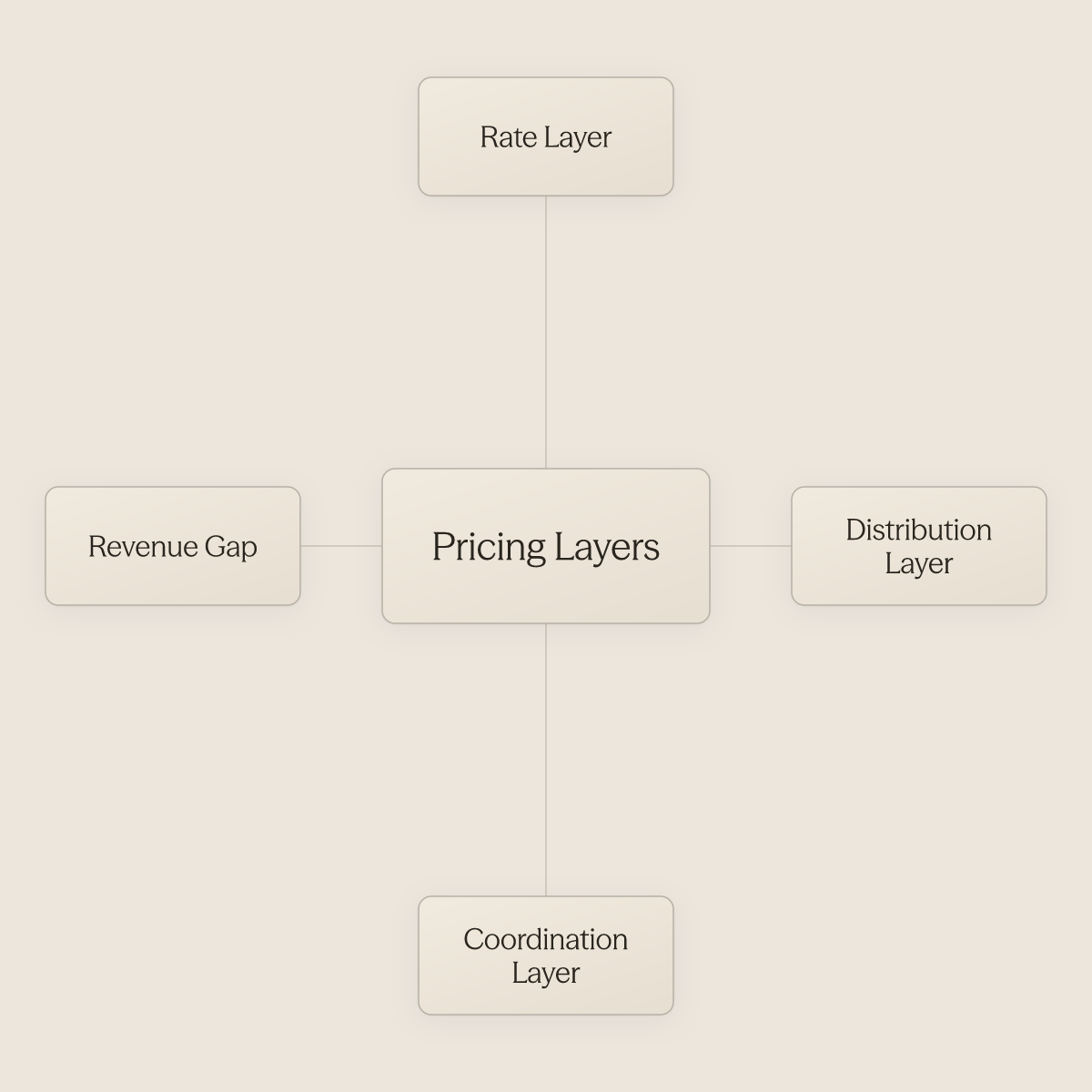
Neither touches layer three. That gap is where most revenue loss actually lives.
Rate Automation Is the Right Default Until These Three Triggers Flip the Decision
For a single-platform operator running a small number of VRBO listings, Rate Automation is genuinely sufficient. It is free, it updates every 24 to 48 hours using live demand signals, and it requires no integration overhead. The trigger that flips the decision is almost always one of three things:
- You add a second OTA
- Your portfolio grows large enough that single-platform tooling creates management overhead
- Your rates drift out of sync with local demand in ways the platform's algorithm does not catch
All three together make a third-party tool close to mandatory. What makes that tipping point visceral in practice: property managers who juggle listings across multiple platforms with conflicting rules and prices describe the experience as chaos, calendars out of sync, rates contradicting each other, and no single source of truth to referee the discrepancies. That chaos is not a workflow problem you optimize around. It is a structural signal that Rate Automation alone has reached its ceiling.
When Third-Party Tools Earn Their Subscription - Multi-OTA, Portfolio Rules, and Demand Forecasting Gaps
Properties listed on multiple platforms consistently see meaningfully higher occupancy and revenue than single-platform listings. That finding exposes the core limitation of VRBO Rate Automation: a price change on VRBO does not automatically sync with your Airbnb rates, your calendar availability, or the guest communication that follows a booking. A third-party dynamic pricing tool solves the rate-sync problem across channels. It does not solve what comes next.
The Layer Neither Tool Addresses - Operational Coordination After the Price Change
A 20-property manager using a third-party pricing tool still has a team member answering rate-related guest questions every morning. The inquiry surge that follows a price drop, the booking confirmation sent without a check-in message, the guest who arrives confused because no one connected the rate change to the operational workflow behind it: these are coordination failures, not pricing failures.
This is precisely where Conduit closes the gap. Conduit's AI Agents are trained on your existing SOPs, FAQs, and operational manuals, documentation your team has already written, so the first automated guest reply goes out days after connecting those materials, not weeks. The Inbox gives your operations or support team a single place to monitor, review, and manage every conversation the AI agent is handling across platforms simultaneously, which is where the multi-platform chaos most property managers describe finally becomes manageable.
Workflows handle the recurring, predictable touchpoints, booking confirmation messages, pre-check-in instructions, post-stay follow-ups, triggering automatically after a booking is confirmed, after check-in, or when a specific keyword surfaces in a conversation, so no manual handoff is required. And Integrations mean the agent can pull from content already living in Notion, Google Drive, or your Airbnb account without manual re-entry.
The result is that every price change triggers the right operational response automatically. Conduit is most valuable when operations involve specific brand standards, escalation policies, or complex multi-property workflows that require differentiated agent behavior, exactly the conditions that exist the moment your portfolio spans more than one OTA or crosses into double-digit listings. The downstream effect is measurable: maximizing revenue per property through improved occupancy and guest satisfaction, and standardizing brand voice and SOPs consistently across every property and market without scaling your headcount to match.
Single platform, under five listings: enable Rate Automation and review performance monthly. Multi-OTA or growing portfolios: layer in a third-party tool; the subscription cost is typically recovered quickly through improved cross-platform rate alignment.
Decision Framework, Which VRBO Pricing Setup Is Right for You?
| Scenario | Recommended Setup | Why |
|---|---|---|
| Single VRBO platform, 1–5 listings | Rate Automation only | Free, sufficient demand signal, no integration overhead |
| Single VRBO platform, 6–10 listings | Rate Automation + monthly manual override review | Algorithm gaps start appearing; human calibration closes them |
| Multi-OTA (VRBO + Airbnb / Booking.com), any size | Third-party tool (PriceLabs, Beyond, or Wheelhouse) | Rate Automation is blind to off-platform signals; cross-channel sync is non-negotiable |
| 10+ listings, any channel mix | Third-party pricing tool + coordination/communication layer | Guest message volume exceeds manual capacity; automation of downstream events is required, Conduit's AI Agents, Workflows, and Inbox address this directly |
How to use this table: locate your current scenario in column one, confirm the recommended setup in column two, and read the rationale in column three before making a tool change.
The Pricing-to-Stay Gap - Why Smart Pricing Alone Doesn't Scale: and What Closes It
Pricing automation fills your calendar with booked nights. It does not fill those nights with satisfied guests who arrived without confusion, got their check-in codes on time, and never wondered why the rate they saw yesterday differs from what a friend quoted today. That gap, between a priced listing and a friction-free stay, is where most portfolio growth stalls.
Every Rate Change Is Also a Communication Event
The operators who feel this most acutely did everything right on the pricing side: configured their tool, set guardrails, watched bookings arrive after a discount window opened. Then the inbox filled. Guests asking why the price dropped after they booked. New inquiries arriving in clusters because a rate cut moved three listings to the top of search results simultaneously. Guest communication volume is one of the top operational burdens for property managers, and it grows proportionally with pricing activity.
Key takeaway: Every automated rate change is simultaneously a guest communication event. The pricing tool captures the booking; the team absorbs the fallout.
The 96% Automation Benchmark - What Erwan Le Roy's 35-Property Operation Reveals
Operations that have achieved near-full automation, not from a better rate algorithm, but from removing every manual handoff between a pricing signal and a completed stay, demonstrate what is possible when the coordination layer is built out deliberately. The coordination layer handles inquiry responses, booking confirmations, check-in instructions, and mid-stay support without a human in the middle. A significant share of vacation rental managers still handle these tasks manually even after adopting dynamic pricing, meaning the gap is structural, not a matter of effort.
How to Close the Pricing-to-Operations Gap - Replacing the Fragmented Tool Stack
Most property managers bridge the pricing-to-stay gap by stitching together a PMS, a pricing tool, a spreadsheet for check-in instructions, and a shared inbox nobody owns. The hidden cost is not subscription fees; it is coordination drag: manually pulling a rate-change alert, drafting a guest message, checking property notes, sending a response, repeated dozens of times per week per property.
AI for hospitality platforms like Conduit address this by connecting directly to tools the team already uses. With native integrations for Notion, Google Drive, Airbnb, and Airtable, Conduit's AI agent pulls property-specific knowledge and pushes conversation data across those systems automatically, without manual re-entry, a benefit that materializes most directly when the business already uses one or more of those tools and wants the AI agent to leverage existing content rather than rebuilding it from scratch. The pricing tool fires a rate change; the coordination layer handles every downstream event it triggers. One honest trade-off: this integration adds the most value at ten or more properties.
Related Reading
- Vrbo Automated Messages
- Lodgify Competitors
- Guesty Alternatives
- Hospitable Vs Hostaway
- Guesty Vs Hostaway
- Lodgify Vs Smoobu
- Guesty Vs Hostfully
- Guesty Vs Hospitable
- Ownerrez Vs Guesty
Next steps
If your pricing stack is generating bookings faster than your team can handle the inquiry wave that follows, the path forward starts with treating every rate change as a communication event that also needs an automated response. Start with our AI for hospitality.
Rate Automation and third-party tools like PriceLabs solve the rate layer but leave the coordination layer entirely manual, which means every optimized price creates downstream work that grows proportionally with pricing activity. At the same time, no single tool category spans the full chain from rate decision to completed, reviewed stay, so the larger a portfolio grows, the wider that gap becomes between what the pricing engine produces and what the operation can absorb. Together, those two realities point to connecting your pricing output to a coordination layer that handles the inquiry surge, the booking-to-stay handoff, and the guest communication workflow automatically.
Start with conduit.ai to see how Conduit connects to the tools your team already uses, so the next rate change your pricing tool fires triggers the right guest response without a human in the middle.
Frequently Asked Questions
What's the difference between MarketMaker and Rate Automation on VRBO?
MarketMaker is the pricing dashboard inside your VRBO Owner Dashboard that surfaces market-condition data and occupancy benchmarks. Rate Automation is the separate dynamic pricing engine that lives inside it and actually pushes rate changes to your calendar. Reviewing MarketMaker stats does not mean your automated rates are performing well, they are two separate checks.
Can I adjust prices for a local festival or event that Rate Automation hasn't picked up yet?
Yes, manual overrides for specific dates are available to any host at any time and require no special access or configuration. Rate Automation works from historical and platform-wide demand data that can lag real-time signals, so a local festival or major sporting event announced six weeks out may not register in the algorithm fast enough to capture the full pricing opportunity. Manual overrides are the designed response to information the algorithm cannot yet see.
How do I protect my highest-revenue dates from being priced by the algorithm?
You can configure seasonal rules to carve specific date ranges out of Rate Automation entirely, handing pricing control back to you for holiday weekends, local peak seasons, or shoulder-period gaps where your property commands a premium the algorithm cannot weigh. After setting any exclusions, audit your calendar view inside the dashboard to confirm every date you intended to protect actually shows as excluded, the post flags that Rate Automation can unintentionally override user-defined exclusions across the entire calendar.
Is VRBO Rate Automation free, or do I need a paid third-party tool?
Rate Automation is a free tool built directly into the VRBO Owner Dashboard, requiring no third-party subscription or technical configuration. Before it existed, VRBO hosts had no native dynamic pricing option and were either setting rates manually or paying third-party tools to fill that gap.
How do I set a base price that makes sense, instead of just guessing?
The post is direct: calculate your minimum rate from actual costs first, cleaning fees, platform commissions, and carrying costs combined, then enter that number as your floor. A host with a $95 all-in cost floor who sets their minimum at $80 is not being competitive; they are subsidizing their guests. For your ceiling, review what comparable listings in your market actually book for during your highest-demand weekends and set your maximum at or just below the top of that range.
Stay in the loop
Get the latest on AI automation, product updates, and customer stories.


