How to Set Up Airbnb Self Check In for Effortless Stays


Airbnb Self Check-In
Reliable self check-in for Airbnb guests.
The self check-in badge wins you the filter. It does not win you a smooth arrival. Here is why the lock is the easy part, and what actually breaks at scale.
Airbnb self check-in allows guests to access a vacation rental independently, without meeting the host in person. Instead of coordinating arrival times and key handoffs, guests receive access instructions through the Airbnb app and let themselves in using a smart lock, keypad, or lockbox. The Airbnb platform displays a dedicated self check-in badge on qualifying listings, and guests can filter search results to show only properties that offer it.
For property managers running guest communication at scale, the badge is not just a convenience signal; it is a visibility gate that determines whether a listing appears in front of a guest at all. Most vacation rental property managers and operations leads think the path to seamless self check-in is better hardware, clearer printed instructions, or another hire on the operations team, because guest questions feel like a people problem, not a systems problem. Self check-in means the guest never needs to synchronize their travel schedule with a host's availability.
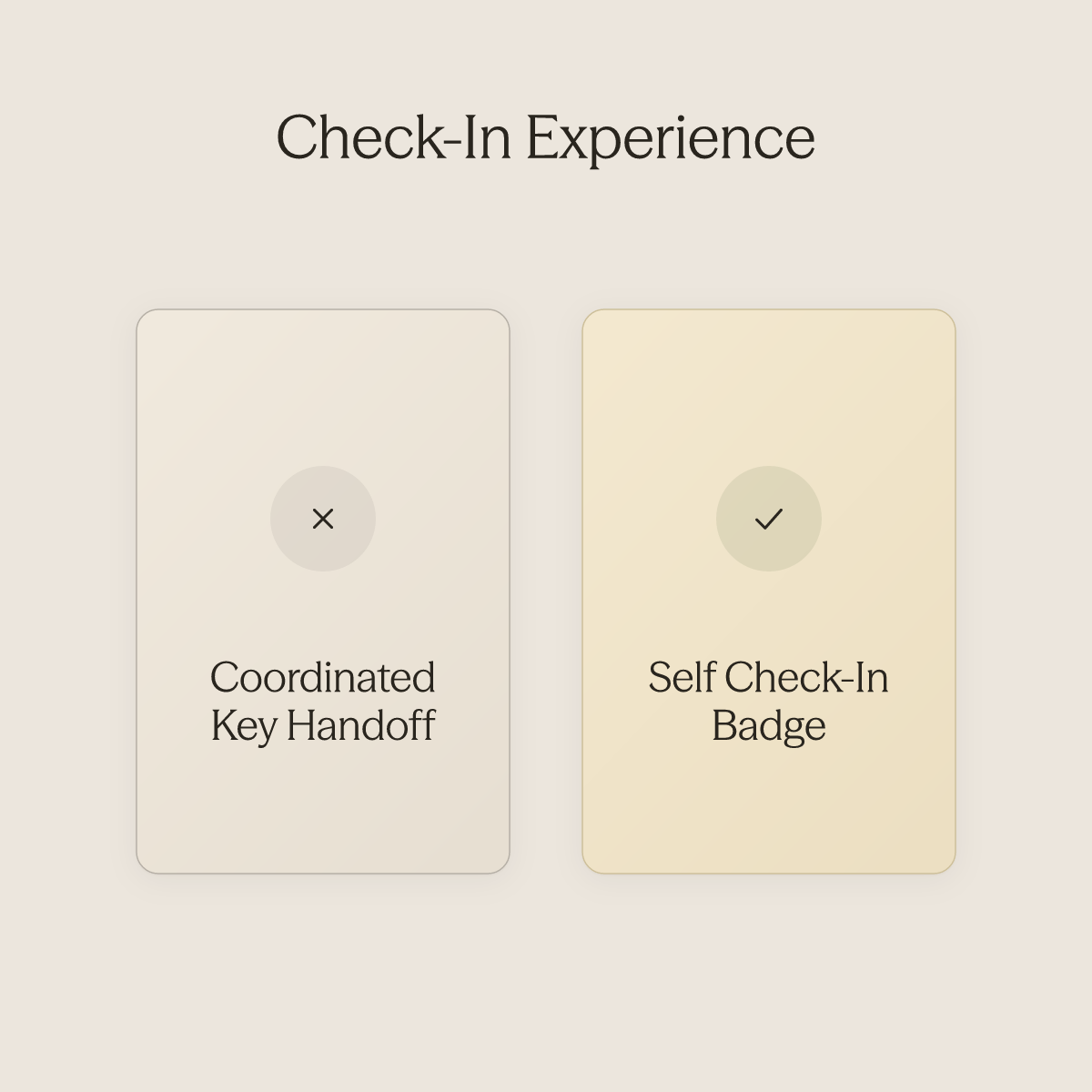
See our AI for hospitality for how this works in practice. Travellers are increasingly choosing listings that offer flexible, host-free arrivals over those requiring coordinated in-person handoffs. The badge signals that flexibility before a guest reads a single word of the listing description.
Hosts without it are filtered out before the consideration phase even begins. Guests who book frequently now treat independent check-in the same way they treat reliable WiFi: a baseline, not a bonus. The self check-in filter is no longer a niche preference; it reflects how a significant and growing share of guests structure their search before price or photos enter the picture.
Here is where most hosts stop thinking, and where the real operational risk lives.
The badge confirms that physical access exists. It says nothing about whether the guest will receive their access code on time, whether the instructions will make sense after a six-hour flight, or whether anyone will respond when they are standing outside at 11 PM unable to get in. Installing a smart lock is the easy part; without a reliable, automated information flow surrounding it, the seamless arrival the badge promises never actually materializes.
"Guests feel confused and frustrated when hosts offer self check-in but still require arrival time updates, creating a contradiction in expectations."
Key takeaways
-
Self check-in is a guest expectation, not a differentiator, Airbnb's self check-in badge filters listings, and guests actively sort for it before they ever read your description.
-
The hardware decision (smart lock, keypad, or lockbox) determines which guest questions hit your inbox at 11 PM, it does not determine whether those questions hit your inbox.
-
The operational weight in a self check-in setup lives in the 72 hours surrounding the door: pre-arrival confirmations, access instruction delivery, and mid-stay prompts, none of which a lock handles.
-
Security failures in self check-in are almost never hardware failures. They are documentation and communication failures that surface because no automated check confirmed access readiness before arrival.
-
Past 10 properties, a human in the middle of check-in communication becomes the single point of failure, not because the team is bad, but because manual delivery doesn't scale.
-
Erwan Le Roy's 35-property operation runs at 96% automation not because of the locks installed, but because every pre-arrival message, access instruction, and mid-stay prompt runs through conduit.ai's Workflows, automated sequences that trigger on guest data and conversation events, with no human required in the middle.
Self Check-In Methods and Hardware Options - Smart Locks, Keypads, and Lockboxes
Smart locks, keypads, and key lockboxes each solve the physical access problem differently, and the method you choose shapes the operational load that follows every check-in.
Three hardware methods dominate Airbnb self check-in setups:
-
Wi-Fi smart locks
-
Standalone keypad deadbolts
-
Combination lockboxes
Each solves physical access. None closes the communication gap that follows. The method you install determines the exact set of guest questions your operation will field at 11 p.m., and at scale, those questions don't just pile up in an inbox; they pull your team, your virtual assistants, and eventually you back into the operator role you were trying to escape.
1. Wi-Fi Smart Locks (Schlage Encode, Yale Assure): Best for Hands-Free Airbnb Self Check-In Automation
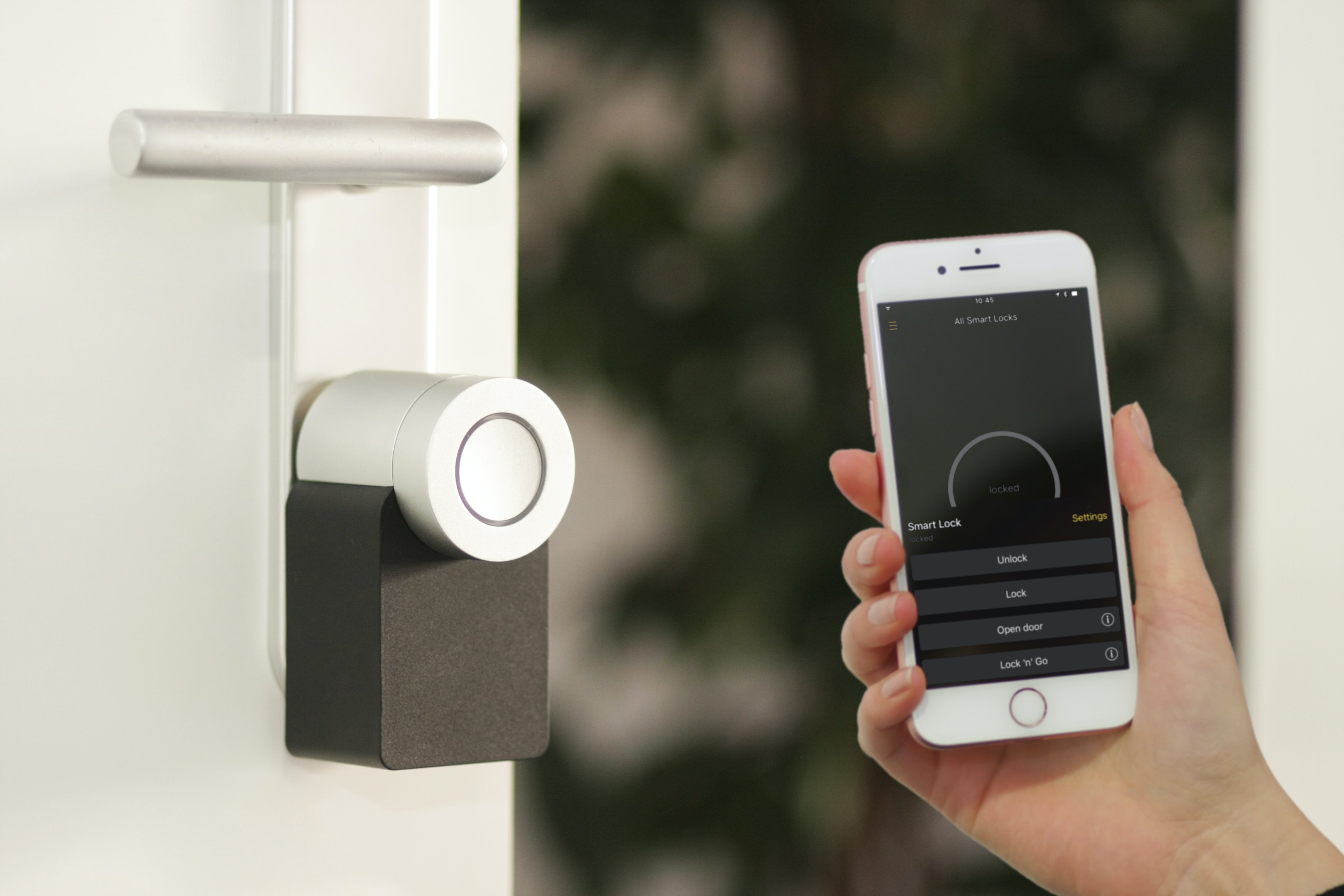
Wi-Fi smart locks are the strongest fit for property managers running five or more units who need access codes to generate and expire automatically per booking. Models like the Schlage Encode and Yale Assure integrate directly with Airbnb to create unique codes that deactivate at checkout, removing a real vacation rental security risk. The honest tradeoff: batteries degrade faster with constant Wi-Fi polling, so a dead battery mid-stay is a genuine operational scenario that requires a documented backup plan before it happens to a guest.
What Wi-Fi locks don't solve is the message volume that follows a smooth door open. Guests with self check-in still send arrival-time questions, Wi-Fi password requests, and parking instructions, often within the same hour. At Haven's portfolio of 270 properties, handling that volume required a large support team across multiple shifts even after basic automation was in place.
The lesson: the lock handles entry; the communication layer has to handle everything else. AI Agents are most useful at exactly this point, when your property count crosses the threshold where repetitive guest messages (Wi-Fi codes, parking instructions, check-in details) can no longer be answered one by one without either hiring proportional headcount or pulling an operator back into daily triage. Agents draw on your existing SOPs and manuals through Conduit's Integrations with tools like Notion, Google Drive, and Airbnb, so the knowledge you've already documented becomes the first reply a guest receives, before, during, or after a stay.
2. Standalone Keypad Deadbolts (Kwikset Halo, Schlage Keypad): Best for Budget-Conscious Hosts Who Want Reliable Self Check-In Without Wi-Fi
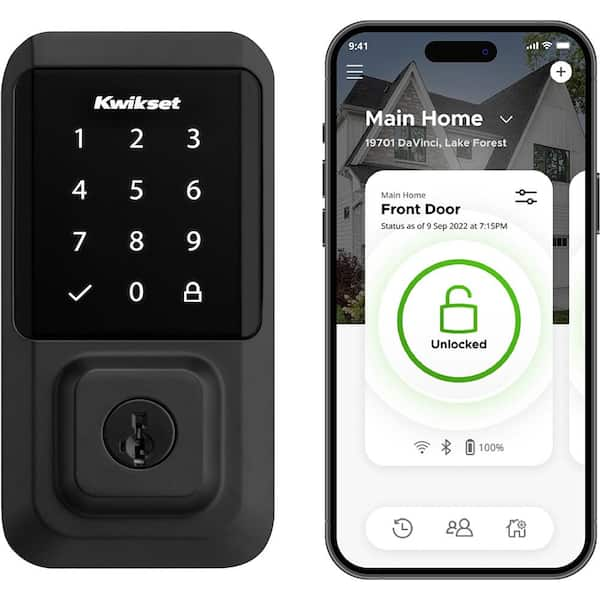
Standalone keypads cost less upfront and work without an internet connection, making them a reliable fallback for properties with poor connectivity. The operational cost surfaces at scale: codes must be updated manually between bookings, and at ten or more properties with back-to-back reservations, that process becomes a measurable time drain. A missed update means a guest arriving to a code that does not work.
The downstream communication problem is compounding. A guest who arrives with a self check-in expectation and then receives a request for an arrival-time update, or worse, a door code that doesn't work, experiences that as a contradiction. That friction arrives as a message, usually late at night, usually urgent.
Virtual assistant teams tasked with covering those moments tend to spend their entire shift on exactly these mundane, high-urgency questions, leaving higher-value work untouched. Operators who have built out VA teams describe the experience of micromanaging response consistency across time zones as an unavoidable gravity that pulls them back into daily operations despite having SOPs in place. Conduit's Workflows address the predictable touchpoints in this cycle, triggered after booking confirmation, after check-in, or when a specific keyword is detected, so the manual follow-up that a keypad setup generates (code confirmation, arrival instructions, parking reminders) runs automatically rather than through a staff queue.
3. Combination Lockboxes - Best for Hosts Who Can't Modify Door Hardware for Airbnb Self Check-In
.jpg)
Lockboxes are the right call when lease terms or building rules prohibit permanent hardware changes. The structural limitation that matters most to operations: no audit trail. There is no record of when the box was opened or by whom, creating a liability gap across a multi-property portfolio.
Guests also routinely miss the lockbox location in long instruction blocks, making "where exactly is it?" one of the most predictable guest questions this method generates. That question, and the cluster of questions around it, is where message volume gets expensive fastest.
A team managing a lockbox portfolio is effectively running a 24-hour help desk for physical navigation problems. Conduit's Inbox gives operations and support teams a single place to monitor and manage every conversation the AI Agent is handling across multiple platforms and properties simultaneously, so a lockbox-generated "where is it?" at midnight reaches an automated reply built from your location instructions rather than waking a staff member.
The AI Agent delivers that first response within days of connecting your SOPs and manuals, no rebuild of your documentation required.
270 Properties managed by Haven's portfolio
How Self Check-In Works for Guests - Instructions, Timing, and Where to Find Access Details
Self check-in shifts physical access to the guest, but not the responsibility for clarity. The moment a guest cannot find their code, the platform's automated delivery system becomes invisible to them, and the host becomes the only person they can call. When and where instructions arrive is not a minor detail; it is the difference between a smooth arrival and a midnight crisis.
When Airbnb Sends Check-In Instructions
According to Airbnb's help documentation, check-in instructions and access codes are automatically sent to guests 48 hours before their scheduled arrival. That window is a platform default, not a precision guarantee. Instructions go out as a single batch, early in the pre-arrival window, and the guest is expected to retrieve them when needed.
For most stays, this works. For a Friday evening arrival after a long travel day, with poor cell signal at the property, it often does not. Guest anxiety about entry peaks in the final hour before check-in, not 48 hours out.
Airbnb itself advises guests to contact the host directly if instructions have not arrived 24 to 48 hours before check-in, meaning the platform has already anticipated this failure state and routed it back to the host. There is a subtler problem layered underneath the timing gap. Guests who book self check-in listings often assume the process is genuinely hands-off: show up, walk in, settle in.
When a host then sends a message asking for a precise arrival time, even with good operational reasons behind it, guests experience it as friction that contradicts the self check-in promise. The ask feels burdensome precisely because the guest believed no coordination was required. That expectation mismatch is one of the most common early-stay pressure points hosts face, and it rarely shows up in reviews as a timing complaint.
It shows up as a tone complaint, a communication complaint, or no review at all.
Where Guests Find Access Codes in the Airbnb App
Guests can locate their self check-in instructions inside the Airbnb app under the Trips section, as outlined in Airbnb's help documentation. That retrieval model works when a guest is calm, connected, and proactively checking. It fails when a guest is standing at the door in the dark, searching for information they assumed would be obvious.
This is not a guest behavior problem. It is a delivery architecture that front-loads information and expects guests to retrieve it under stress. Hosts who manage multiple properties or list across platforms face a compounding version of this problem: the same guest arrival window generates simultaneous check-in messages, cleaner coordination threads, and owner updates, all requiring timely, consistent replies.
Conduit's AI Agents are built for exactly this load. The agents run continuously, responding to guest messages before, during, and after a stay, and are trained directly on a host's existing SOPs, FAQs, and manuals. Mayra, Global Head of Customer Experience at Wynwood House, put it plainly:
"The first thing we noticed was the quality of the AI replies. You cannot tell the difference between an AI agent and a human agent. I work with ChatGPT and other AI tools every day, and sometimes you can immediately tell it's AI. With Conduit, we're not seeing that."
That quality matters most precisely when a guest is stressed at the door; a robotic reply at that moment makes everything worse.
The Guest Failure State and Who Owns the Fix
You cannot tell the difference between an AI agent and a human agent.
When a guest cannot access their property, Airbnb's guidance is direct: contact the host. The platform does not intervene in real time. That means every instruction-delivery failure lands on the host's plate, regardless of whether the platform sent the message on schedule.
The operational answer is not to wait for the failure and then respond; it is to intercept the gap before the guest reaches the door confused. Conduit's Workflows fire after trigger events in the guest lifecycle: after a booking is confirmed, after check-in, or when a specific keyword appears in a conversation. That means a host can send a warm, human-feeling pre-arrival message at the right moment, not 48 hours out as a bulk batch, but timed to the guest's actual journey, without a staff member manually queuing it.
For hosts already using tools like Notion, Google Drive, or Airbnb, Conduit's Integrations pull existing content directly into the agent, so there is no manual re-entry of check-in instructions that already exist somewhere else. The Inbox layer sits on top of all of it, giving operations teams a single place to monitor every conversation the AI agent is handling across properties and platforms simultaneously. The result is timely, consistent guest communication that improves review scores and protects the host's reputation, without adding headcount to the on-call rotation.
Benefits of Self Check-In for Hosts and Guests: and the Operational Gap It Quietly Opens
A smart lock on the door is a solved problem. What happens in the 72 hours surrounding that door, the questions, the confirmations, the "wait, where exactly is the lockbox?" message at 10 PM, is where the real operational weight lives. Most vacation rental property managers and operations leads assume the fix is better hardware, clearer printed instructions, or another hire on the operations team, because guest questions feel like a people problem, not a systems problem. For property managers running 10 or more listings, self check-in's genuine benefits are real, but they arrive with a structural gap most hosts don't see until review scores start telling the story.
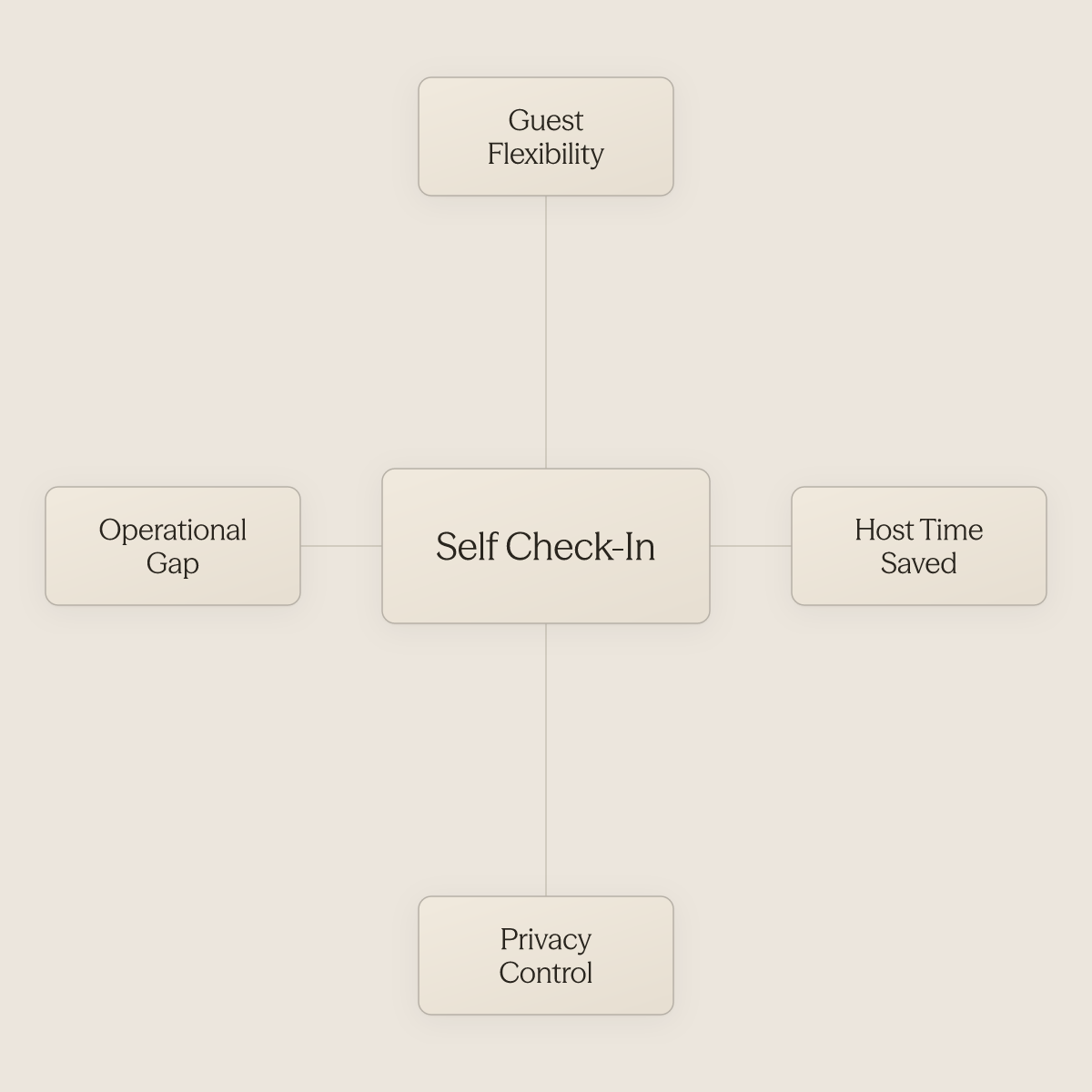
Flexibility, Privacy, and Scheduling Freedom
Self check-in delivers genuine, measurable value for both sides of the booking. Guests can arrive at midnight without coordinating with anyone; hosts can run a full day without anchoring their schedule to arrival windows. Industry data consistently shows that late-arrival flexibility ranks among the top reasons guests prefer self check-in properties, because travel rarely lands on a tidy 3 PM schedule.
Hosts gain back hours that would otherwise go toward in-person handoffs across multiple properties. That reclaimed time only compounds, however, when the communication layer behind the door is just as automated as the lock in front of it. Operators report receiving their first automated guest reply within days of setup, not weeks, and without rebuilding their knowledge base from scratch.
The system pulls directly from documentation already stored in tools like Notion or Google Drive, so the operational lift of going live stays low.
How the Self Check-In Badge Moves Your Listing in Search
The self check-in badge functions as a conversion signal, not just a convenience feature. Listings with self check-in enabled appear in Airbnb's filtered search results when guests specifically filter for that option, giving those listings a discoverability advantage over properties requiring in-person coordination. At scale, that visibility gap compounds: a portfolio where every unit carries the badge captures filtered searches that unlisted competitors simply never appear in.
Capturing that search traffic only converts into bookings and strong reviews when the guest experience behind the badge is consistent. Operators managing distributed portfolios often find that guest communication quality varies unit by unit, one property gets a thorough pre-arrival message, another gets a hasty one typed at midnight. AI Agents are built specifically to standardize guest communication quality and brand voice across a large, distributed portfolio, so every guest at every listing receives the same caliber of response regardless of which staff member is on shift or how many bookings landed that week.
The Communication Vacuum Hardware Cannot Fill
The lockbox answers one question: how do I get in? It leaves unanswered everything that follows, WiFi password, thermostat, parking. Airbnb's own host guidance confirms that check-in instructions, access codes, and property-specific details must be sent as a separate manual step after hardware is installed, meaning the communication layer remains entirely unsolved by the lock itself.
That manual step is precisely where operational overhead accumulates fastest. Answering questions like "Can I do an early check-in?" means spending labor on repetitive, predictable messages that carry no unique judgment requirement.
AI Agents are most effective exactly here: when a business receives a high volume of repetitive guest messages and already has SOPs or FAQs to train the agent on. The result is a direct reduction in the operational overhead and labor costs associated with a centralized reservations or guest services team, because the agent handles first-contact resolution around the clock, before, during, and after a stay, while the operations team monitors and manages conversations through the Inbox rather than typing each reply manually. The property manager whose scores vary noticeably across units almost never has a hardware problem.
They have a consistency problem: the guest in Unit 4 got a fast, thorough answer to their parking question at 10 PM, and the guest in Unit 11 didn't hear back until morning. That gap is what a well-configured AI Agent, triggered automatically after booking confirmation or check-in, closes, not by replacing human judgment on complex issues, but by ensuring no routine question falls through the cracks while the team is stretched across a full portfolio.
How to Set Up Self Check-In on Airbnb - Step-by-Step for Hosts
Completing the Airbnb dashboard configuration feels like finishing the job. You select an access method, type in your instructions, hit save, and the self check-in badge appears on your listing. What the platform does not tell you is that the badge confirms setup, not delivery. The real work is engineering instructions that hold up when a jet-lagged guest arrives at 1 a.m. with poor cell signal and no patience for ambiguity.
Finding the Self Check-In Settings
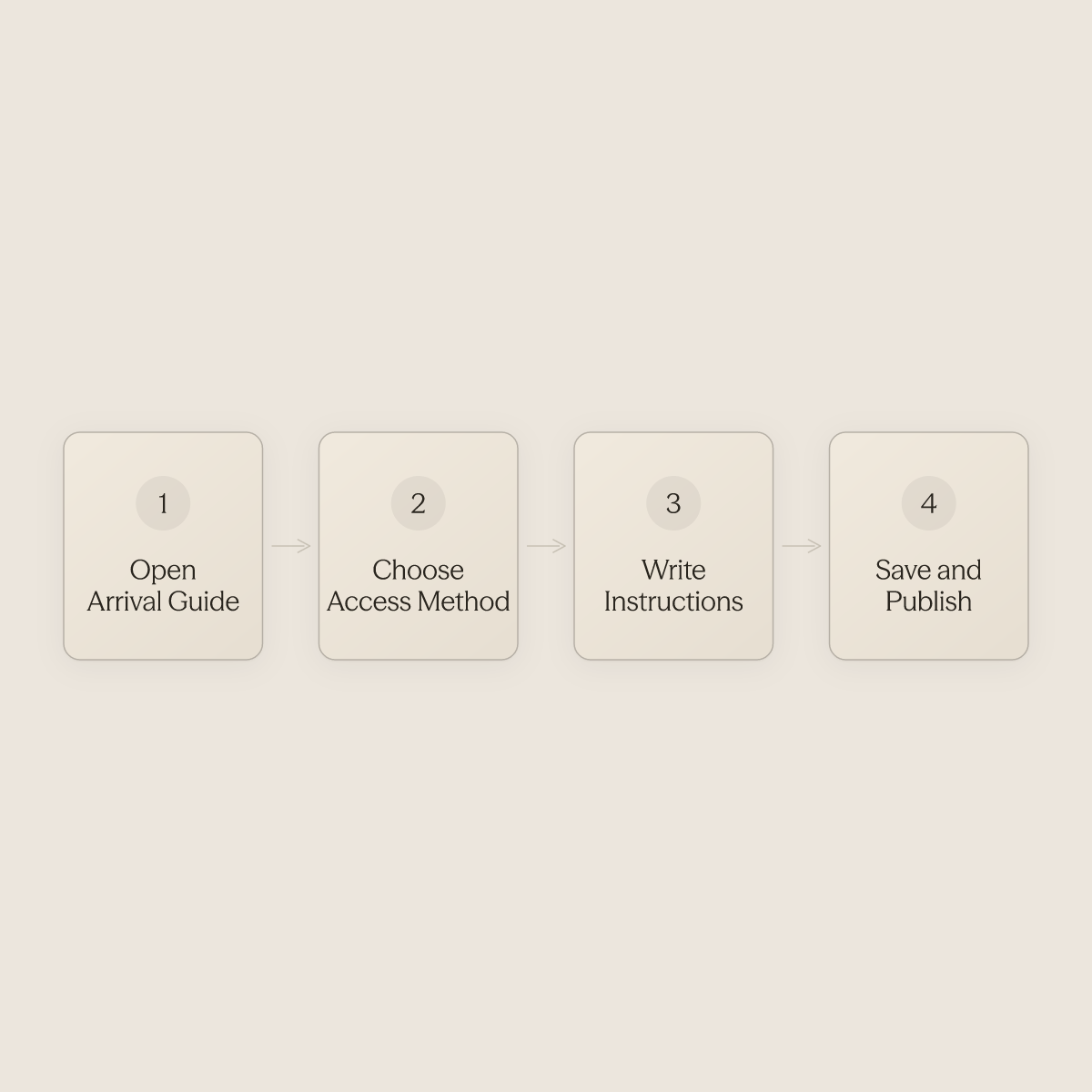
In your Airbnb host dashboard, go to Listings, select the property, then open Arrival guide under the listing editor. Choose your access method: smart lock, keypad, lockbox, or building staff. According to industry documentation, this is also where you add step-by-step property-level instructions, covering gate codes, parking, and building entry. The whole configuration takes under ten minutes.
Selecting Your Access Method
The platform asks you to pick one method, but the real decision happens before you click. Smart locks generate unique codes per reservation and expire them automatically at checkout. Keypad deadbolts without connectivity are a more affordable option and require manual code changes between guests. Lockboxes are the lowest-cost option and work without internet, but codes must be changed by hand. Each has a place; none eliminates the instruction problem.
Writing Instructions That Work at Midnight
Best practices for check-in instructions start with a single principle: assume the guest cannot call you. Write from the property's point of view, not your own. "Turn left out of the elevator, not right" beats "the unit is down the hall." Industry guidance explicitly recommends adding photos to the arrival guide to clarify non-obvious access points. A short video walkthrough of the lockbox location, embedded as a link in the arrival guide, consistently reduces "I can't find it" messages.
Unique Codes, Not a Master Code
Using a single master code across all bookings is the security gap most hosts do not close until something goes wrong. Wi-Fi smart locks like the Schlage Encode and Yale Assure Lock 2 support per-reservation code generation that auto-expires at checkout. Property management platforms such as Uplisting and OwnerRez natively integrate with these locks so each confirmed booking triggers a unique code automatically.
The Backup Plan Is Not Optional
Airbnb Self Check-In Setup Checklist
Use this checklist before marking any listing as self check-in ready:
-
Access method selected (smart lock / keypad / lockbox) and installed
-
Unique per-booking code generation confirmed (not a shared master code)
-
Backup access path documented, tested, and written down
-
Arrival guide completed in Airbnb dashboard (Listings → Arrival guide)
-
Step-by-step entry instructions written from the guest's point of view
-
Photos or short video added to clarify non-obvious access points
-
Pre-arrival message template drafted and scheduled for ≥48 hours before check-in
-
WiFi password, parking, and thermostat details included in instructions
-
Battery/power backup plan documented for smart lock properties
-
Self check-in badge confirmed visible on live listing
Related Reading
-
Vacation Rental Automation
-
Best Apps For Short Term Rentals
-
Best Pms For Airbnb
-
Best Pms For Short Term Rentals
-
Best Accounting Software For Short Term Rentals
-
How To Manage A Vacation Rental Property
-
Vrbo Smart Pricing
-
How To Automate Airbnb Business
Communicating Check-In Instructions at Scale: and What Happens When You Rely on Manual Delivery
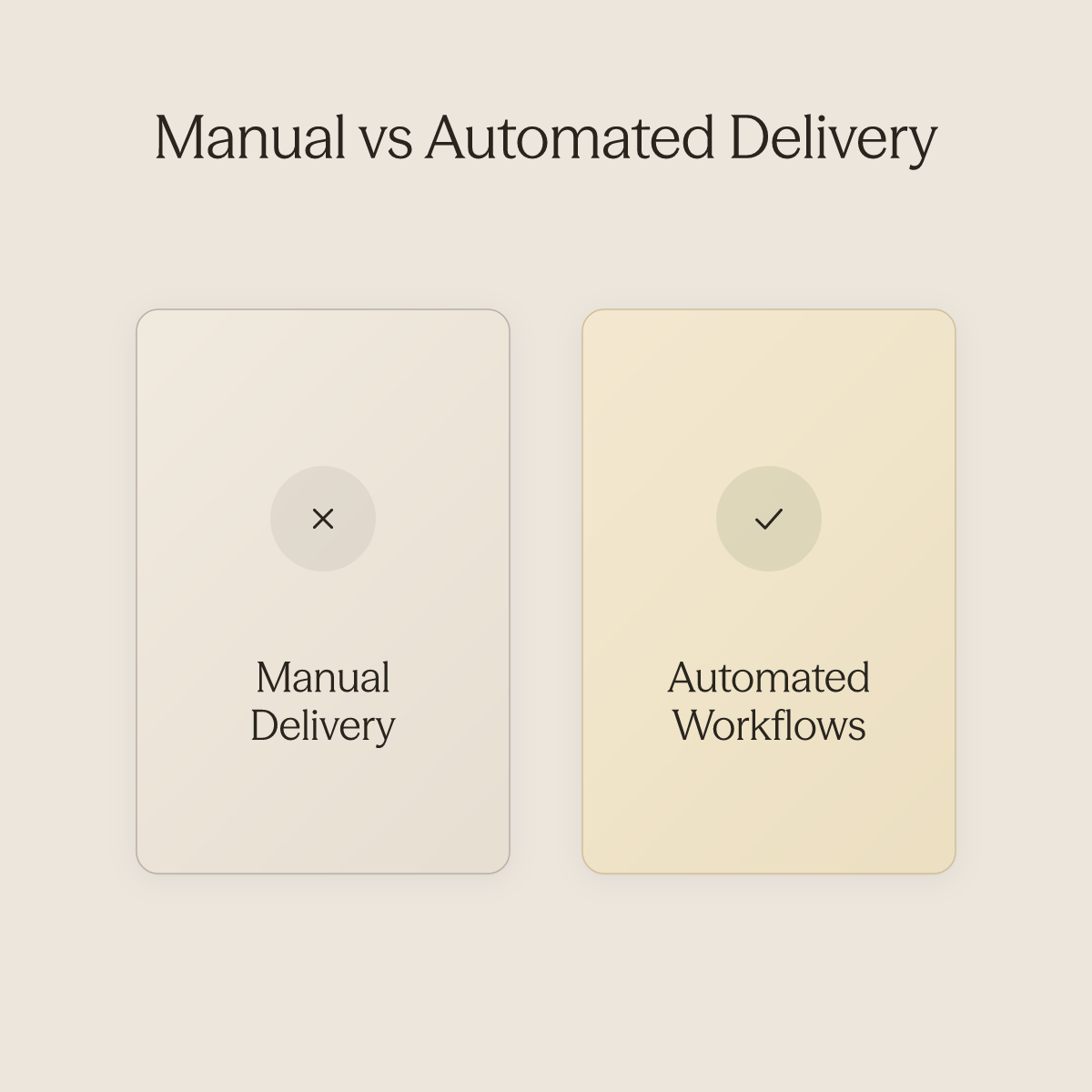
Getting check-in instructions to the right guest, for the right property, at the right time sounds straightforward until you are managing more than a handful of properties and the coordination surface starts to exceed what any person can reliably hold. Manual delivery does not break because your team is careless; it breaks because the system depends on a human being the last line of defense, and that guarantee erodes fast as you scale. This section walks through exactly where that failure point lives and how automated workflows close it.
The Human in the Middle - Single Point of Failure
Most vacation rental property managers and operations leads believe that guest communication problems come down to staffing or tools, that the fix is better hardware, clearer printed instructions, or another hire on the operations team, because guest questions feel like a people problem, not a systems problem. Picture a coordinator on a Friday afternoon, working through 25 properties worth of pending arrivals. One reservation updated that morning.
She catches most of them. One property gets the wrong code. The guest arrives at 11 PM, can't get in, and leaves a three-star review mentioning "confusing instructions and no response for two hours."
The hardware worked perfectly. The system failed. At a handful of properties, a sharp team member can hold the mental map.
Past a certain threshold, the surface area of a single Friday afternoon exceeds what any person reliably tracks without error. The coordination burden compounds quickly: manually pushing the right message to the right guest for the right property at the right time, across Airbnb, direct booking channels, and every other platform, routinely consumes significant hours each month for managers at that scale. That is not a communication strategy; it is a gamble that scales against you, and it is exactly the pattern that makes growing past 20 properties feel like running faster on a treadmill rather than building something scalable.
Ai's Workflows are designed for this failure point specifically. They are most beneficial when the business has recurring, predictable guest touchpoints that currently require manual staff action, and they fire automatically after a trigger event in the guest lifecycle: after a booking is confirmed, after check-in, or when a specific keyword is detected in a conversation. The coordinator's mental map gets replaced by a system that does not have bad Fridays.
The Cascade a Single Missed Message Triggers
One missed pre-arrival message does not stay contained. The guest tries the code, fails, messages the host, waits, calls Airbnb support, and by the time anyone responds, the emotional damage is done. Industry discussion among professional hosts consistently surfaces check-in experience as among the top cited factors in below-four-star ratings, and the review rarely says "the lock failed."
It says "the communication was poor." The hardware escapes blame. The operation absorbs it.
Ai's AI Agents address this at the response layer. The agent is most beneficial when the business receives a high volume of repetitive guest messages and has existing documentation, SOPs, FAQs, and property manuals to train on. Once those materials are connected, the agent begins handling guest replies automatically and continuously, before, during, and after a stay.
That first automated guest reply can go live within days of connecting your documentation. The two-hour silence that turns a minor inconvenience into a bad review becomes structurally harder to produce.
How Inconsistent Delivery Erodes Your Brand Faster Than Bad Hardware Ever Could
The guest at Property 7 gets a detailed pre-arrival message with photos. The guest at Property 14 gets a copy-paste from six months ago with the wrong WiFi name. Both properties have identical smart locks.
One guest leaves five stars. The other leaves four and mentions feeling "unprepared." Inconsistency, not equipment failure, is what quietly drags a portfolio's average rating down over time, a pattern professional hosts managing multi-property portfolios recognize clearly.
Guests do not compare you to your hardware; they compare you to their last great stay somewhere else. The operational lever here is removing the human variability from delivery without removing the human quality from the message. Ai's Integrations make this practical: if your property guides, house manuals, and SOPs already live in Notion, Google Drive, or are connected through Airbnb, the AI agent draws on that existing content without requiring manual re-entry.
The guest at Property 14 gets the same quality of pre-arrival context as the guest at Property 7, because the source material is the same and the delivery is no longer dependent on who happened to be at the keyboard that afternoon. The Inbox ties it together for the operations or support team: all conversations the AI agent is handling across multiple platforms and properties are visible in one place, ongoing, so the team can monitor, review, and step in when judgment is genuinely needed, rather than spending that capacity on message assembly and manual sends. The goal is to scale the portfolio without proportionally scaling the coordination headcount required to keep guest experience consistent.
The Missing Layer - Automated Check-In Workflows That Run Without a Human in the Middle
Self check-in is a communication-to-outcome pipeline, not a hardware-to-outcome pipeline. The returns operators like Erwan Le Roy extract from a fully automated workflow, 96% automation across 35 properties, are returns that hardware investment alone cannot replicate, because the primary cost driver in short-term rental operations is not lock failure, it is communication gaps. The evidence below builds that case from the ground up.
A check-in workflow is a triggered sequence: booking confirmation fires first, then a pre-arrival verification prompt, then timed access code delivery, then a day-of reminder, then a mid-stay check-in nudge. For property managers who already have recurring, predictable guest touchpoints, pre-arrival messages, access code sends, mid-stay check-ins, but are still triggering each one manually, this is the condition where an automated workflow delivers its clearest return: every touchpoint fires from reservation data, with no human in the middle. AI Workflows are most beneficial when the business has recurring, predictable guest touchpoints that currently require manual staff action.
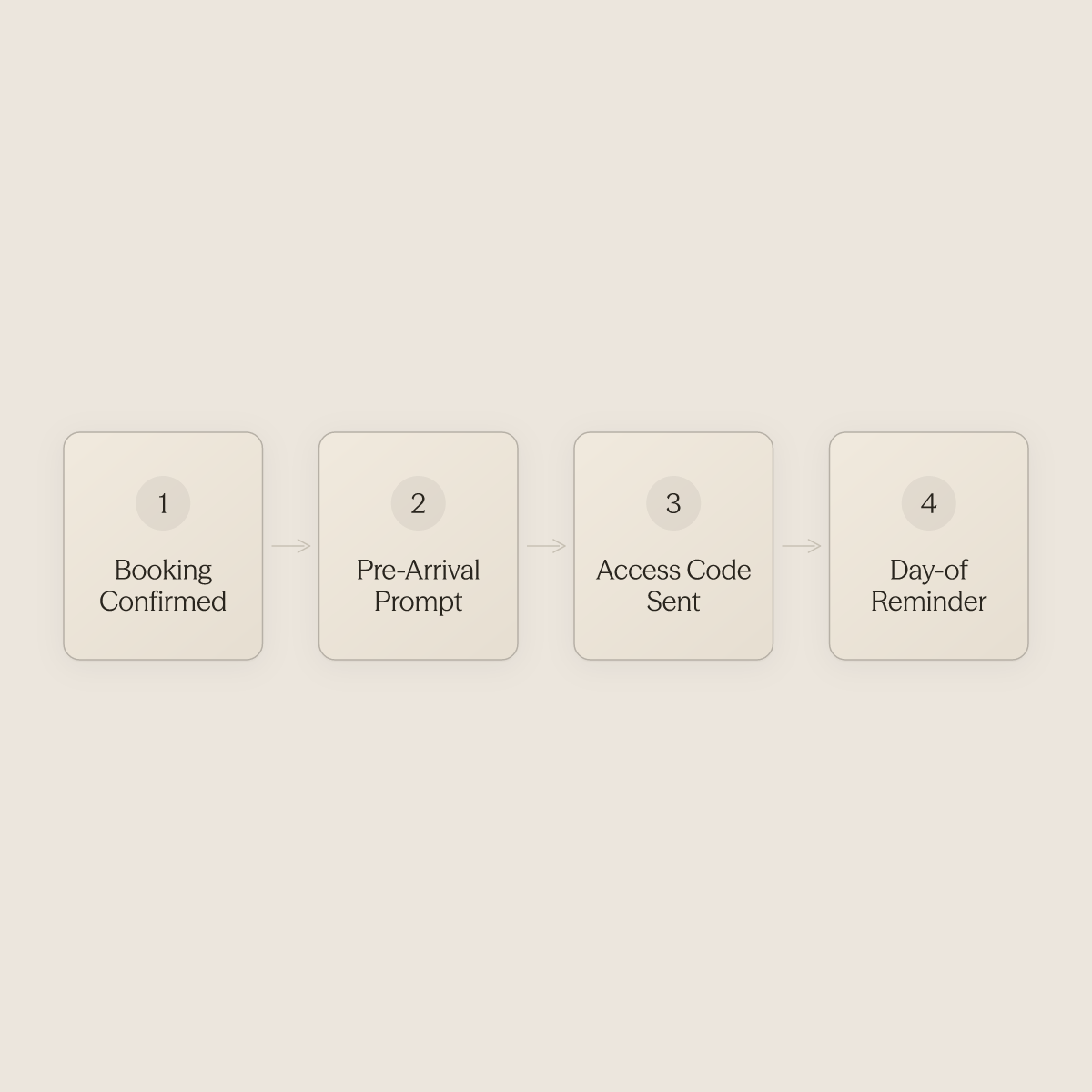
The workflow fires after a trigger event occurs in a conversation or guest lifecycle, after a booking is confirmed, after check-in, or when a specific keyword is detected, removing the human memory dependency at every stage. The founder of Host Tools, a platform that has processed millions of automated guest messages, recommends exactly this staged sequence as baseline practice. The problem is that most operators know this sequence exists but have no system wiring it to fire automatically.
Without that wiring, a human has to pull the trigger on each step, for every reservation, across every property, simultaneously. There is a structural trap operators fall into before they solve this: automated workflows perform well on clean, predictable inputs, the routine booking confirmations, the standard access code sends, the mid-stay check-ins that always look the same. But the moment an edge case arrives, a same-day booking, a guest who messages in a language the template wasn't written for, a keyword that matches two different scenarios, the workflow breaks, and a staff member has to intervene.
Operators then spend time tuning prompts instead of fixing the underlying design flaw: the system has no rule layer that changes how it responds to non-standard conditions. AI Workflows address this directly through custom rules, including same-day rules that change how the agent responds when a booking compresses the normal pre-arrival window, so that edge cases are handled by logic, not by a human catching the exception.
Verify, Save, and Send Early
Lockout calls are the most preventable failure in short-term rental operations. Guests who receive access instructions 20 minutes before arrival do not make those calls.
The failure is almost never the lock, it is the timing of the message. Automating delivery to a fixed window, say 48 hours before check-in, removes the human memory dependency that causes the gap. AI Workflows fire on the trigger event, booking confirmed, check-in approaching, so the window is enforced by the system, not by whoever happens to be monitoring the inbox that afternoon.
Erwan Le Roy's 35-Property Operation at 96% Automation
Erwan Le Roy, who runs Cash Flow Street and manages 35 properties, reached 96% automation not by upgrading hardware but by wiring every pre-arrival and mid-stay communication touchpoint into an AI-driven sequence that runs without a human in the middle. Adding a new property does not add a new communication burden because the workflow fires on reservation data alone. That is the structural shift: automation scales with the portfolio; labor costs do not. This is the core capability conduit.ai Workflows are built to deliver, enabling rapid portfolio expansion without proportional growth in support headcount, because every new listing inherits the same triggered sequence from day one.
Haven Vacation Rentals: 90 Same-Day Check-Ins in a Snowstorm
During a snowstorm that compressed 90 same-day check-ins across 270 properties into a single operational window, Haven Vacation Rentals recorded only 3 human interventions. Their locks were not exceptional. Their communication sequences were pre-loaded against predictable failure scenarios, so guests received updated instructions before they needed to ask. The same-day scenario, where the normal pre-arrival window collapses, is exactly the edge case where a custom rule that changes how the agent responds to same-day conditions converts a staffing crisis into a managed workflow.
The Staffing Math
Easy BnB reached strong review scores while eliminating the manual communication layer, saving approximately $22,000 per month and adding 75 units without a single additional hire. Every manual touchpoint that requires a human trigger is a cost that compounds with every new listing.
AI Workflows convert that compounding cost into a fixed infrastructure cost, one that does not grow when the portfolio does. The operations or support team shifts from pulling triggers on individual messages to monitoring, reviewing, and managing the conversations the AI agent is already handling, through a unified Inbox that surfaces every guest conversation across multiple platforms and properties simultaneously. The workflow runs; the team governs it.
Related Reading
-
Lodgify Competitors
-
Vrbo Automated Messages
-
Guesty Alternatives
-
Lodgify Vs Smoobu
-
Guesty Vs Hostfully
-
Ownerrez Vs Guesty
-
Hospitable Vs Hostaway
-
Guesty Vs Hostaway
-
Guesty Vs Hospitable
Self Check-In Safety and Security - What Every Host Must Get Right
The hardware gets the blame, but the root cause is always a communication or documentation gap that no device can close on its own. Security failures in self check-in are almost never hardware failures; they are documentation and communication failures wearing hardware's face, and the predictable output of any system that lacks an automated verification pass confirming access readiness before each booking.
Unique-per-Booking Access Codes - Why a Shared Master Code Is a Liability
Reusing the same access code across multiple bookings is one of the most common and consequential shortcuts in short-term rental operations. A former guest retains access after checkout. A code shared in a screenshot gets forwarded.
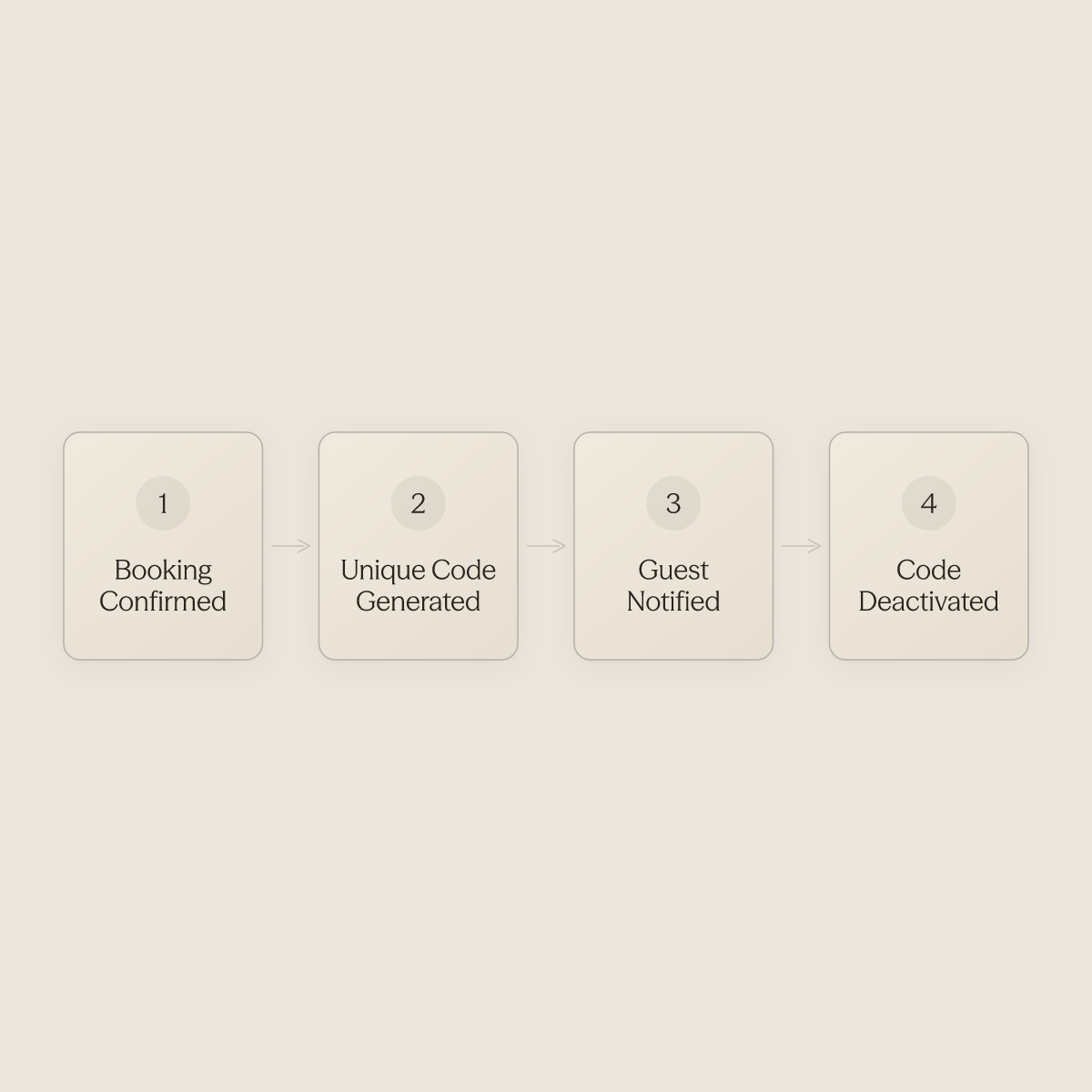
Professional hosts confirm this plainly: unique codes must be generated per booking and automatically deactivated at checkout, with no exceptions, a standard that becomes operationally impossible to maintain by hand once a portfolio grows beyond a handful of doors. At 10 or 20 properties, managing this manually introduces the exact inconsistency that creates exposure. The fix is not discipline; it is removing the manual step entirely.
Conduit's Workflows layer pays for itself: after a booking is confirmed, a workflow can trigger the downstream actions, code generation, guest communication, cleaner notification, without a human sitting in every thread. Hosts managing guest communications across multiple platforms or properties simultaneously are most exposed to this gap, and Workflows exist to close it by acting on trigger events in the guest lifecycle before a staff member even sees the reservation.
Backup Access Protocol - Before the Battery Dies at Midnight
Smart lock battery failure and forgotten lockbox combinations are foreseeable failure modes that every portfolio will encounter. The backup path, whether a keyed lockbox at a neighbor's or a property manager on call, must be written down, tested, and communicated to the guest before arrival, not improvised after the first distress message arrives. Hosts who have scaled past a handful of properties know the 24/7 on-call treadmill intimately: a guest locked out at midnight is not an edge case; it is a scheduled interruption that compounds across every property added to the portfolio.
Conduit's AI Agents means the agent can surface the correct backup instructions to a distressed guest immediately, before, during, or after a stay, drawing from existing documentation without requiring a staff member to field the call. With Conduit's Integrations, there is no manual re-entry of the backup protocol each time it is updated.
Pre-Stay Access Verification - Catching Failures Before the Guest Does
A wrong code or dead battery at check-in is never just a technical inconvenience. It is the visible surface of a process that was not verified end-to-end before the guest arrived. Systemic communication failures, not one-off hardware incidents, are what erode guest trust and generate the reviews that damage long-term revenue. A pre-stay verification touchpoint, confirming the guest has received their code, understands the backup path, and knows what to do if either fails, is the single highest-leverage communication a host can send.
Professional host discussions reinforce this directly: the hosts who eliminate late-night lockout calls are the ones who have made that pre-arrival confirmation automatic, not optional. With Conduit Workflows, that message fires after a trigger event, booking confirmation, the day before check-in, or a custom window, without manual staff action. The Inbox then gives the operations or support team a single place to monitor every conversation the AI agent is handling across all properties, so nothing falls through the cracks between platforms.
The result is the operational goal every scaling host is chasing: getting off the on-call treadmill and back to growing the business, with brand voice and SOPs standardized consistently across every property and market.
Next steps
If your portfolio keeps pulling you back into guest communication triage despite smart locks on every door, the path forward starts with treating self check-in as a communication pipeline, not a hardware installation.
The evidence from Haven Vacation Rentals managing 90 same-day check-ins with 3 human interventions shows that scale-resistant operations are built on automated, sequenced touchpoints, not better equipment. The finding that security failures trace to documentation gaps rather than device failures means every unverified pre-arrival window is a liability waiting to surface in a review. Together, they point to one action: replacing the manual trigger on every guest touchpoint with a workflow that fires from booking data, automatically, before the guest has a reason to message.
Start with AI for hospitality to see how Conduit's Workflows and AI Agents handle the communication layer your hardware leaves open. Your existing SOPs and property guides connect directly, so the first automated guest reply goes live within days, not weeks.
Frequently Asked Questions
Where does a guest actually find their check-in code in the Airbnb app?
Guests find their self check-in instructions inside the Airbnb app under the Trips section. Airbnb automatically sends those instructions 48 hours before the scheduled arrival, but if they haven't arrived 24 to 48 hours before check-in, Airbnb advises guests to contact the host directly.
What's the real difference between a smart lock, a keypad, and a lockbox for Airbnb self check-in?
Wi-Fi smart locks like the Schlage Encode and Yale Assure generate unique codes automatically per booking and deactivate them at checkout, but require a documented backup plan for dead batteries. Standalone keypads cost less and work without internet, but codes must be updated manually between bookings, so a missed update means a guest arrives to a code that doesn't work. Lockboxes are the right choice when lease terms prohibit permanent hardware changes, but they leave no audit trail of who opened the box or when, and guests routinely miss the lockbox location in long instruction blocks.
Does having the self check-in badge actually help a listing get more bookings?
Yes, listings with self check-in enabled appear in Airbnb's filtered search results when guests specifically filter for that option, giving those listings a discoverability advantage over properties requiring in-person coordination. The badge functions as a conversion signal before a guest reads a single word of the listing description, and hosts without it are filtered out before the consideration phase even begins.
The lock works fine, why are guests still messaging me at 11 PM on check-in night?
The lock handles entry, but it does nothing about the communication gap surrounding it. Even after a smooth door open, guests with self check-in still send arrival-time questions, Wi-Fi password requests, and parking instructions, often within the same hour. Guest anxiety about entry also peaks in the final hour before check-in, not 48 hours out when Airbnb sent the instructions, so information delivered early is easily forgotten or hard to retrieve under stress.
How do I make sure every guest gets the same quality check-in instructions, especially across multiple properties?
The post points to automated workflows triggered by specific moments in the guest lifecycle, after booking confirmation, after check-in, or when a specific keyword appears, as the way to send timely, consistent pre-arrival messages without a staff member manually queuing each one. Conduit.ai's AI Agents pull directly from existing documentation already stored in tools like Notion or Google Drive, so the knowledge you've already documented becomes the first reply a guest receives, and every guest at every listing receives the same caliber of response regardless of which staff member is on shift.

Stay in the loop
Get the latest on AI automation, product updates, and customer stories.


