How to Set Up VRBO Automated Messages for Every Guest


VRBO Messages
Workflow automation for guest communication.
VRBO's built-in automation does less than most hosts think. Here is exactly where it stops, where it silently fails, and what that costs you at scale.
Most vacation rental property managers and operations leads think that once they set up VRBO's built-in automated messages, their guest communication is on autopilot and they can scale without adding staff time to messaging. In reality, VRBO's built-in automation covers a narrow, fixed slice of the guest journey, and the gaps become costly well before a portfolio reaches meaningful scale. For operators building toward genuine scale, understanding exactly where the platform's automation starts and stops is the prerequisite for building anything better, including the kind of workflow-driven guest communication that runs independently of any single OTA.
VRBO's Inbox is the central hub for all guest and host communication on the platform. From here, hosts can read and reply to messages, access saved templates, and review booking details tied to each conversation thread. What the Inbox does not do is act on any of this automatically.
There is no logic layer that reads a booking, evaluates context, and sends a message without a host or team member initiating it. The Inbox is a well-organized dashboard, not an autonomous communication engine. VRBO does send one genuinely scheduled message on your behalf: an automatic welcome guide delivered to guests 7 days before check-in.
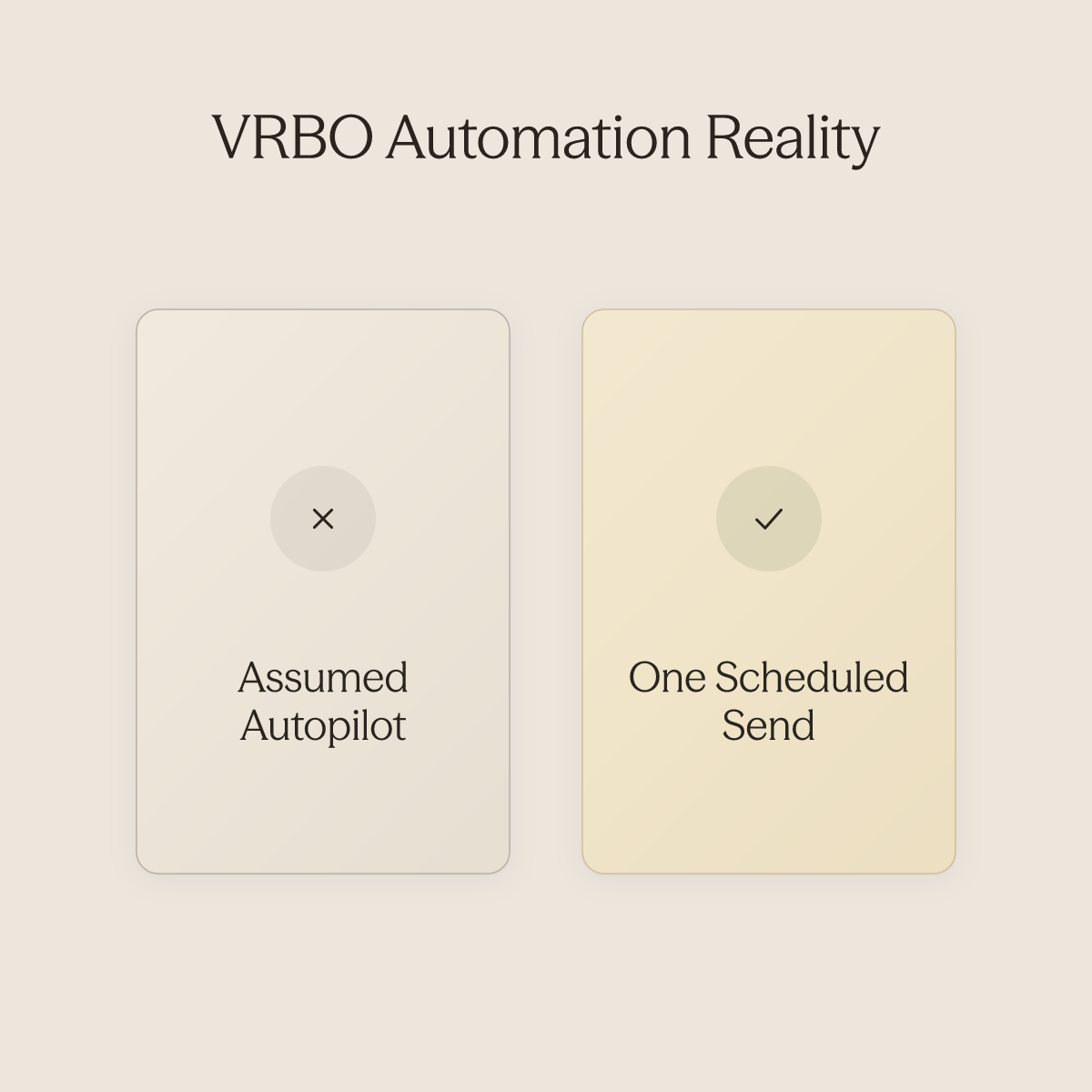
That is useful, but it is also the ceiling. There is no equivalent scheduled message at booking confirmation, mid-stay, or post-checkout. One automated send across the entire guest journey is a starting point, not a system.
VRBO's message templates let hosts save pre-written messages and insert them into conversations with a few clicks. There is no trigger logic attached to them. At three properties that is manageable; at fifteen, the manual overhead compounds into a material time cost every single week.
5x more likely to convert those inquiries into bookings compared to hosts who wait 24 hours or longer. A template sent manually after catching an SMS alert is still a manual process with a human failure point. That gap does not close by writing better templates.
It closes by removing the human-in-the-middle entirely. Every manual touchpoint is a point where speed, consistency, and guest experience depend entirely on a person being available at the right moment, a dependency that compounds with every property added to a portfolio.
Every manual touchpoint is a point where speed, consistency, and guest experience depend entirely on a person being available at the right moment, a dependency that compounds with every property added to a portfolio.
2.5x More bookings from fast inquiry replies
Key takeaways
-
VRBO's native automated messages cover booking confirmation, check-in, and checkout, roughly 40% of the guest journey, with no time-based triggers, no cross-channel logic, and no access to dynamic guest data.
-
A saved VRBO template is not a live automation, two additional steps must be completed before any message actually sends, and most hosts skip at least one of them.
-
Six message types form a complete guest communication workflow; VRBO's trigger architecture makes it structurally impossible to deliver all six without manual intervention filling the gaps.
-
The inbox doesn't empty as a portfolio scales, it grows, because VRBO templates are static by design and can't adapt to booking context, guest behavior, or multi-property logic.
-
Erwan Le Roy's 35-property operation reached a 96% automation rate not by perfecting VRBO templates, but by routing guest communication through a workflow layer that runs independently of any single platform.
-
conduit.ai's Workflows close that gap by triggering automated sequences based on conversation events and guest data, so follow-ups, check-in instructions, and post-stay messages run as repeatable processes without manual effort, regardless of which OTA the booking came from.
How to Access and Create Templates in VRBO - Step by Step
Saving a VRBO message template feels like finishing the job. The interface accepts your text, your trigger, your timing, and then goes quiet, which most hosts reasonably interpret as confirmation that the automation is running. In practice, two separate steps sit between "saved" and "actually sending," and skipping either one means your templates exist on the platform while your guests receive nothing.
One of the sharpest pain points hosts run into early is discovering that what VRBO reps describe as "automated messages" is not automation in the way most people mean it. What the platform actually provides are manual-use templates. You must still log in, select the template, and send it yourself. That distinction matters enormously when you are trying to keep guests, cleaners, contractors, and owners coordinated without sitting inside every thread.
Conduit's AI Agents layer sits above platform templates precisely to close that gap: once your SOPs and manuals are connected, the agent fires replies continuously, before, during, and after a stay, without manual intervention on each send.
Where to Find the Template Builder Inside VRBO's Inbox
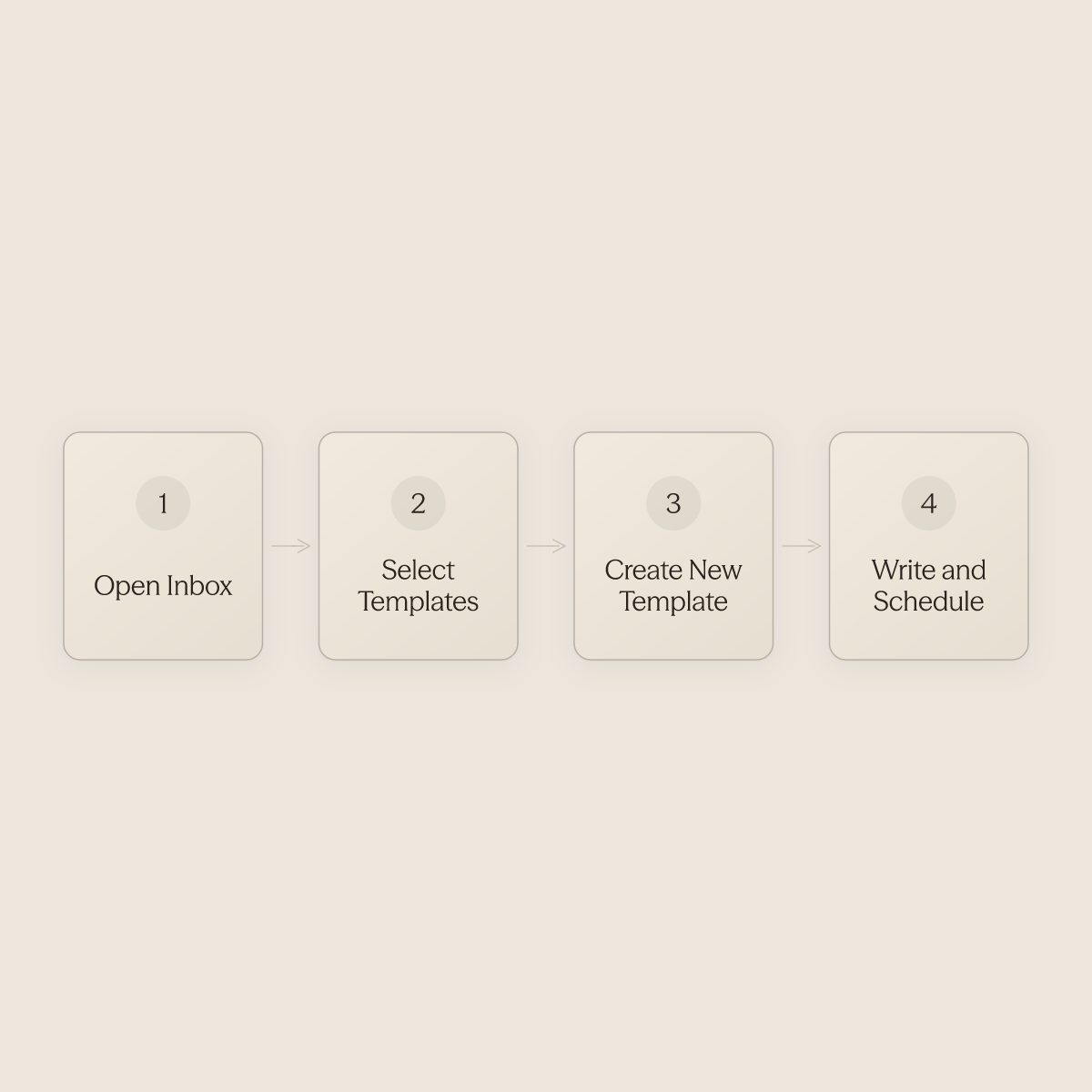
To access VRBO's Templates feature, open your Inbox, then select "Templates" from the left-hand navigation. From there, choose "Create new template." The full path is:
-
Inbox
-
Templates
-
Create new template
-
Write and name your message
-
Set your scheduling trigger
-
Save
-
Activate
That final activation step is where most setups stall, and no confirmation banner warns you that you missed it. Many hosts never find this path cleanly on the first attempt. Without clear, step-by-step guidance, the default workaround becomes copy-pasting messages outside the platform entirely, a manual habit that compounds as your property count grows.
If you are managing communications across multiple properties or platforms simultaneously, that manual drag is where coordination breaks down fastest.
How to Name and Personalize Your Template Using VRBO's Dynamic Tags
Give each template a name that signals its trigger at a glance, "Booking Confirmed," "Day Before Check-In", so you can audit your sequence quickly. Inside the message body, the Personalize feature inserts dynamic tags that pull guest names, property details, and booking information automatically. Test each tag in a dummy booking before relying on it at scale; a tag that renders incorrectly in a real guest message is worse than no personalization at all.
Hosts managing high volumes of repetitive guest touchpoints, check-in instructions, house rules, checkout reminders, benefit most from pairing VRBO's tag system with a structured message library. Conduit's Integrations can pull that existing content directly into your agent's knowledge base without manual re-entry, so your templates and your AI-assisted replies stay consistent with the same source of truth.
The 'Always Send for Last-Minute Bookings and Short Stays' Toggle
This is the single most commonly missed setting in VRBO's template builder. When a booking arrives close to check-in, your scheduled trigger may fall inside the lead time window and simply not fire. VRBO includes a toggle labeled "Always send for last-minute bookings and short stays" specifically to handle this scenario.
For many urban and drive-to markets where a substantial share of bookings arrive close to check-in, this toggle is not an edge-case setting, it is a default requirement. Hosts who discover it after the fact usually do so because a guest arrived without check-in instructions. This is also the scenario where the gap between a manual template system and true automation becomes most costly.
Response time directly affects your ranking on VRBO and Airbnb. A last-minute booking that slips through without a timely reply, because the toggle was off and no one was watching, is both a guest experience failure and a search visibility hit.
Activating the Template, The Step Most Guides Skip
Saving a template and activating a template are two different actions in VRBO's system. A saved template sits in your library. An activated template fires on schedule.
After completing your message and setting your trigger, you must explicitly enable the template before it enters the automation queue. VRBO also requires a separate step to enable inbound message notifications in your account settings; without it, guest replies arrive silently. When using Conduit's Inbox to monitor conversations across properties, silent inbound replies are a known operational risk.
The Inbox is designed for ongoing use by an operations or support team to review and manage all conversations the AI agent is handling, which means a missed VRBO notification setting can create a blind spot even when everything else in your stack is working correctly. Confirm notifications are live at the platform level before assuming your monitoring layer will catch everything.
Troubleshooting, Why Your Automated Message Didn't Fire
The most common causes of a silent template failure are:
-
Activation was skipped
-
The last-minute toggle is off
-
The trigger window is set tighter than the booking lead time allows
Start your audit by confirming each template's status shows as active, not just saved. Then verify the last-minute toggle is enabled for any message that needs to reach guests who book close to arrival, and confirm that message notifications are turned on so incoming guest replies surface in real time rather than arriving silently in the background.
Conduit's Workflows layer adds the most value when your business has recurring, predictable guest touchpoints that currently require manual staff action, and it operates independently of whether the underlying platform's toggle was set correctly. Response speed at every touchpoint compounds into ranking outcomes, so closing the gaps in your trigger chain is not a cosmetic fix, it is a direct input to your listing's visibility.
What Types of Automated Messages Every VRBO Host Should Send
Six types of automated messages form the backbone of a complete vacation rental guest communication workflow. Hosts who treat each one as a distinct job to be done, not just a scheduled template, consistently see stronger review scores and fewer last-minute guest issues. Yet the sequencing logic matters as much as the messages themselves: VRBO's native triggers create a structurally incomplete guest journey map, firing only on booking-event schedules and leaving the pre-arrival anxiety window, mid-stay issues, and post-checkout dispute period entirely unaddressed, the precise moments where guest perception, review scores, and repeat bookings are actually won or lost.
What makes this gap especially costly for growing operations is that VRBO does not natively support fully automated custom message templates the way Airbnb does. Hosts managing even a handful of listings find themselves writing the same check-in instructions, the same mid-stay check-ins, and the same review requests by hand, every single stay. That manual load compounds fast across multiple properties and markets, eroding both consistency and brand voice at exactly the moments guests are forming their impressions.
Conduit's Workflows feature closes the gap: after a trigger event occurs in a conversation or guest lifecycle, a booking confirmation, a check-in, a detected keyword, Workflows fire the right message automatically, without a human in every thread.
VRBO Automated Message Sequence - Quick-Reference Checklist
| # | Message Type | Timing | Must-Include Elements | Native VRBO Can Handle? |
|---|---|---|---|---|
| 1 | Booking Confirmation | Within minutes of reservation | Property address, direct contact, next-step preview | ❌ No scheduled trigger |
| 2 | Pre-Arrival Welcome | 72 hours before check-in (required) | Arrival time, parking/access logistics, noise policies | ✅ 7-day send only |
| 3 | Day-of Check-In | Morning of arrival | Door code, Wi-Fi password, one contact number | ❌ No same-day trigger |
| 4 | Mid-Stay Check-In | Midpoint of stay | Open-ended check-in question, issue escalation path | ❌ No mid-stay trigger |
| 5 | Checkout Reminder | Evening before or morning of departure | Checkout time, return-key instructions, tone of ease | ❌ No checkout trigger |
| 6 | Post-Stay Review Request | Promptly after checkout | Personalized thank-you, direct review link | ❌ No post-checkout trigger |
72 hours VRBO's mandatory pre-arrival compliance window
1. Booking Confirmation Message - Set Expectations Before Excitement Fades

The booking confirmation is the first VRBO automated message every host should deploy. Sent immediately after a reservation is accepted, it reassures guests their booking is secure, introduces the host's communication style, and plants early house-rule awareness. Hosts managing multiple properties benefit most since it eliminates repetitive manual replies. The tradeoff: overly long confirmations get skimmed, so brevity and warmth must be balanced carefully.
2. Pre-Arrival Check-In Instructions Message - Sent 72 Hours Before Stay

VRBO now requires hosts to deliver entry instructions no later than 72 hours before check-in, making this automated message non-negotiable. It should include door codes, parking details, WiFi credentials, and a property address with map link. Hosts with smart locks benefit enormously since codes can be dynamically inserted. The limitation: if codes change per booking, your automation tool must support variable substitution or the message requires manual review before sending.
3. Day-of Check-In Welcome Message - The Digital Doorbell Greeting
A warm, concise message sent on the morning of check-in day reminds guests of the check-in time window, confirms the property address, and invites them to reach out with questions. It functions as a digital handshake that reduces anxious guest calls and last-minute message floods. Hosts with self-check-in setups gain the most value here. The tradeoff is timing precision, sending too early feels irrelevant, too late feels rushed, so scheduling for 8--9 AM local time is the proven sweet spot.
4. Mid-Stay Check-In Message - The Silent Problem Catcher

Sent 24--48 hours into the stay, a mid-stay VRBO automated message asks guests if everything is meeting expectations and whether they need anything. This single message is the most underused tool in a host's arsenal, it surfaces fixable issues before they become negative reviews. Hosts with longer average stays (5+ nights) see the greatest ROI. The tradeoff: for one-night stays this message arrives too late to be actionable, so trigger logic should exclude short bookings.
5. Checkout Reminder Message - Protect Your Turnover Window

Sent the evening before or morning of departure, the checkout reminder outlines exactly what guests should do before leaving, stripping beds, starting the dishwasher, locking doors, and returning keys. It protects the host's cleaning window and reduces late checkouts that cascade into same-day turnover failures. Hosts with back-to-back bookings depend on this message most. The limitation: guests who feel micromanaged by overly detailed checklists may leave lukewarm reviews, so tone must stay friendly, not transactional.
6. Post-Stay Review Request Message - The Revenue-Compounding Closer

Sent within 2--4 hours of checkout, a post-stay VRBO automated message thanks guests for their visit and gently encourages them to leave a review while the experience is still fresh. Reviews are the primary driver of VRBO search ranking and booking conversion, making this the highest-leverage message in the entire sequence. Hosts scaling beyond three properties see compounding returns as review velocity accelerates. The tradeoff: VRBO's communication policy restricts solicitation language, so the message must invite feedback naturally rather than explicitly demanding a five-star rating.
The Real Limitations of VRBO's Native Automation (and When They Start to Hurt)
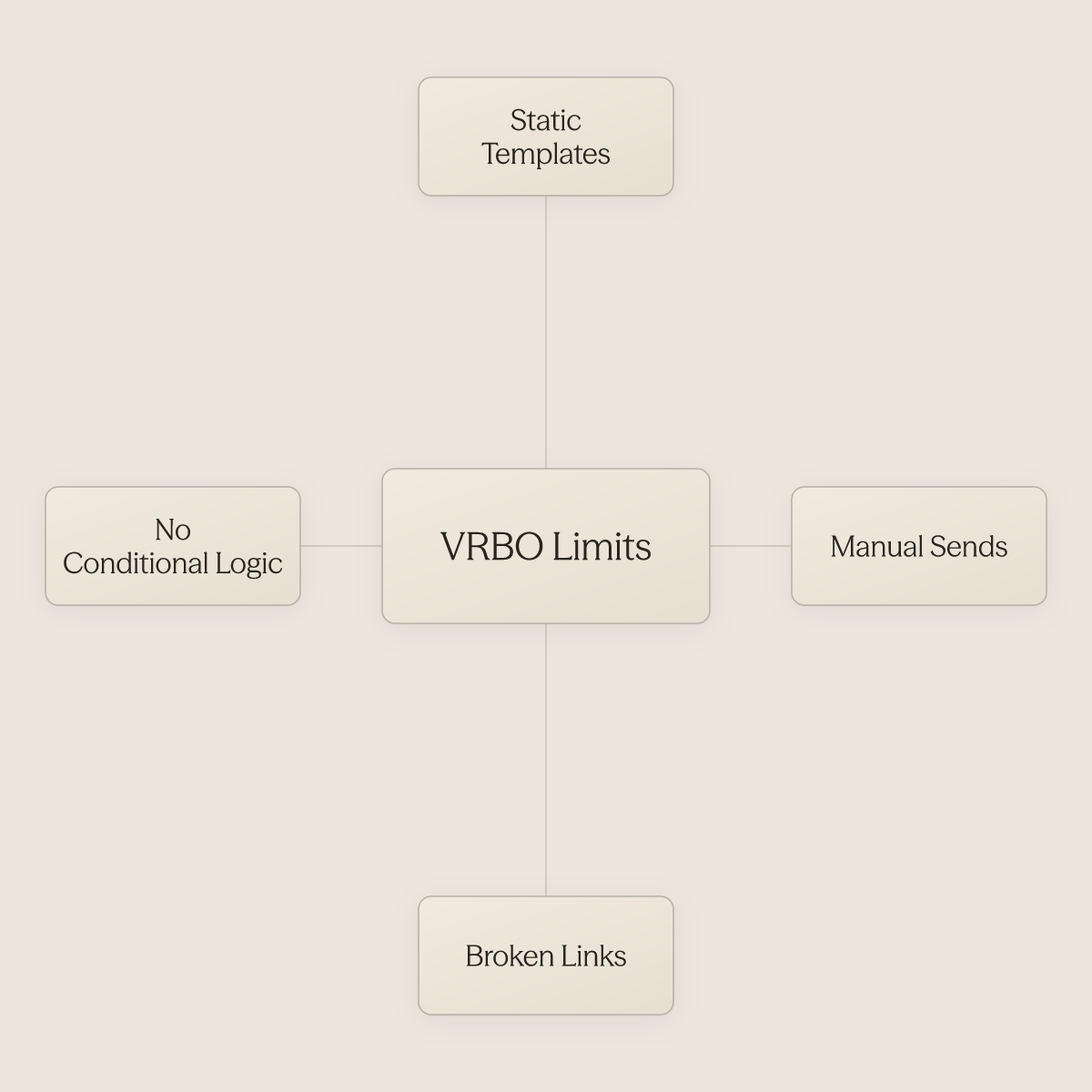
VRBO's built-in messaging tools look functional until you try to scale with them. What most property managers discover too late is that the system's core constraints, static templates that require manual sends, broken links, and no conditional logic, don't just create friction; they quietly convert every edge case into a staff task. Understanding exactly where those limits sit is the first step to building a communication workflow that doesn't depend on someone remembering to log in.
VRBO Templates Are Static by Design
Most vacation rental property managers and operations leads think that once they set up VRBO's built-in automated messages, their guest communication is on autopilot and they can scale without adding staff time to messaging. In practice, there is a harder structural problem than most hosts realize going in: VRBO's so-called automated messages are not time-based automation at all. They are templates that require a host to manually log in, select, and send every single time.
A guest who books a 14-night stay gets the same pre-arrival message as someone checking in for two nights, if the host remembers to send it. A guest who hasn't confirmed receipt of their access code gets no follow-up. The system has no awareness of those distinctions because it was never built to have any.
The dysfunction compounds at the content level. Links sent through VRBO's native messaging system cannot be opened by guests, which means any automated message that includes a Google Doc, Google Maps link, or digital guidebook is effectively broken on arrival. Property managers who have invested time building out digital welcome packets or SOP-driven check-in guides discover this only after guests report they can't access the information.
The message sends; the utility does not. This isn't a missing feature waiting on a product update. It's a design constraint of single-platform template systems.
When a template can't read context and can't deliver clickable content reliably, every exception becomes a manual task.
No Conditional Triggers
"VRBO's so-called 'automated messages' are actually just templates that hosts must manually log in to select and send, there is no true time-based automation."
There is no logic layer. There is no "if the guest hasn't responded to the check-in instructions within 12 hours, send a follow-up" path. There is no way to suppress a mid-stay check-in for a repeat guest who's stayed four times and clearly knows the property.
The system fires on a schedule only when a human manually fires it, not on signal. That rigidity matters most precisely where automation creates the most leverage: recurring, predictable guest touchpoints that currently require manual staff action. Booking confirmation, day-of check-in support, mid-stay welfare checks, checkout reminders, and post-stay review requests are exactly the kind of structured, repeatable triggers that an event-driven system handles without staff involvement.
VRBO's native toolset does not offer that logic layer. Without it, those touchpoints default back to a staff member making a judgment call on each booking, the opposite of scale.
Platform Dependency as a Scaling Tax
Industry research on multi-platform listing strategy consistently identifies distribution across multiple OTAs as a best practice for revenue stability and occupancy optimization. The problem is that every OTA runs its own native toolset, and automation configured on VRBO carries over to nothing. A manager running properties across VRBO, Airbnb, and a direct booking site is maintaining multiple separate template libraries, libraries that can never stay in sync, and that each require the same manual-send workflow.
This is the scaling tax that single-platform automation imposes. The administrative load compounds with every new listing and every new channel. The impact is sharpest for operations teams managing guest communications across multiple platforms simultaneously, the exact scenario where a unified, cross-platform inbox and AI-driven workflow layer creates the most meaningful relief.
When all guest conversations are visible and manageable in one place, and when the underlying automation can fire after a trigger event, a booking confirmed, a check-in completed, a specific keyword detected, the per-booking staff burden stops growing linearly with portfolio size.
The Coverage Gap Across the Full Guest Journey
The full guest journey includes pre-booking inquiries, booking confirmation, pre-arrival logistics, check-in support, mid-stay check-ins, issue escalation, checkout reminders, and post-stay review requests. VRBO's native system does not reliably handle any of these automatically, because without true time-based automation, each touchpoint depends on a staff member logging in and manually selecting the right template at the right moment. Booking confirmation, day-of check-in, mid-stay, checkout, and post-stay review requests are either entirely unscheduled or dependent on manual staff action.
For businesses that already have existing documentation, SOPs, FAQs, property manuals, the gap between what those documents contain and what guests actually receive automatically is almost entirely a tooling problem, not a content problem. The information exists. The system to deliver it on the right trigger, to the right guest, across every platform, does not exist inside VRBO's native feature set.
Third-Party Tools That Extend VRBO Automated Messages Beyond the Platform
Third-party property management software is required for complete multi-channel automation on VRBO. No single native tool coordinates logic, timing, and guest data across multiple OTAs simultaneously. The tools below solve that architectural gap, each from a different angle.
The real question is architectural, not cosmetic, but before evaluating any third-party tool, it is worth naming what that architecture is actually correcting for. Third-party tools don't merely supplement VRBO's native automation; they expose that native automation is not automation in any operationally meaningful sense. VRBO templates require per-platform manual duplication, cannot coordinate cross-channel logic, and carry documented glitch exposure even in tools designed to exceed them. For any operator managing multi-channel listings, the administrative overhead of maintaining platform-native systems grows proportionally with portfolio scale rather than compressing it, the exact inverse of the efficiency gain automation is supposed to deliver.
Does the tool give you cross-channel consistency, event-driven logic, and dynamic guest data, all at once, across every OTA you list on? Tools that answer yes to all three move the needle. Tools that answer yes to only one or two shift the manual work around without eliminating it.
A property manager running listings on VRBO, Airbnb, and a direct booking site has a coordination problem, not a template problem. Third-party tools collapse that overhead into a single logic layer.
1. Conduit.ai - Best AI-Powered VRBO Automated Messages Platform
Conduit.ai sits above the PMS layer rather than replacing it. Its AI for hospitality platform catches the unscripted edge cases that template-based tools miss, using conversation-event triggers and live guest data to run follow-up actions autonomously. It is most beneficial when your business has recurring, predictable guest touchpoints that currently require manual staff action, check-in reminders, mid-stay check-ins, post-stay review requests, and you need those touchpoints handled consistently across every channel without a person moderating each one. The honest tradeoff: medium implementation complexity means it rewards operators with documented workflows, not those still building from scratch.
2. Hospitable - Best for Reliable Cross-Platform Message Delivery
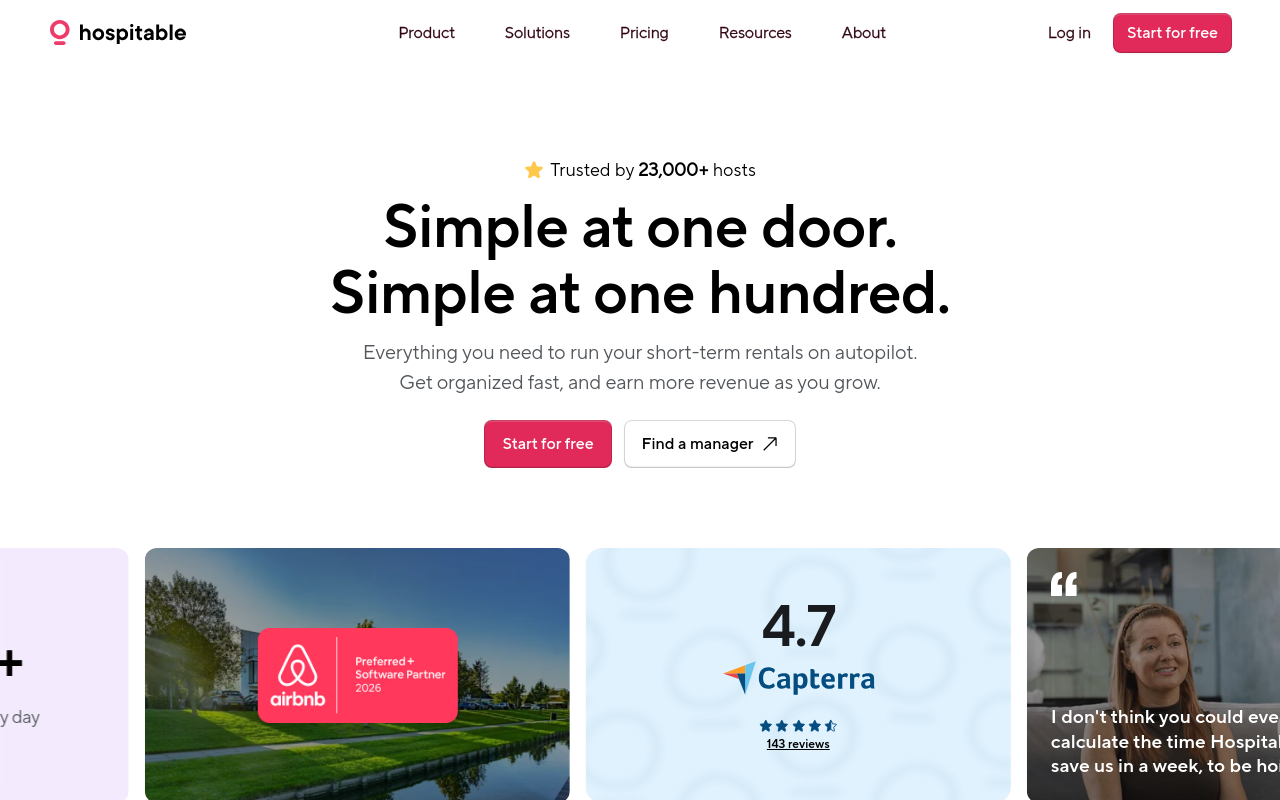
Hospitable delivers event-triggered, multi-step message sequences across VRBO, Airbnb, and direct bookings from a single dashboard, using dynamic data fields to personalize at each stage of the guest journey. Based on host community feedback, delivery reliability is meaningfully stronger than native VRBO tools, though not perfectly guaranteed. Hospitable is the best pick for solo hosts or small portfolios moving off native templates for the first time.
3. Hostaway - Best for Full VRBO Automation Beyond Just Messaging
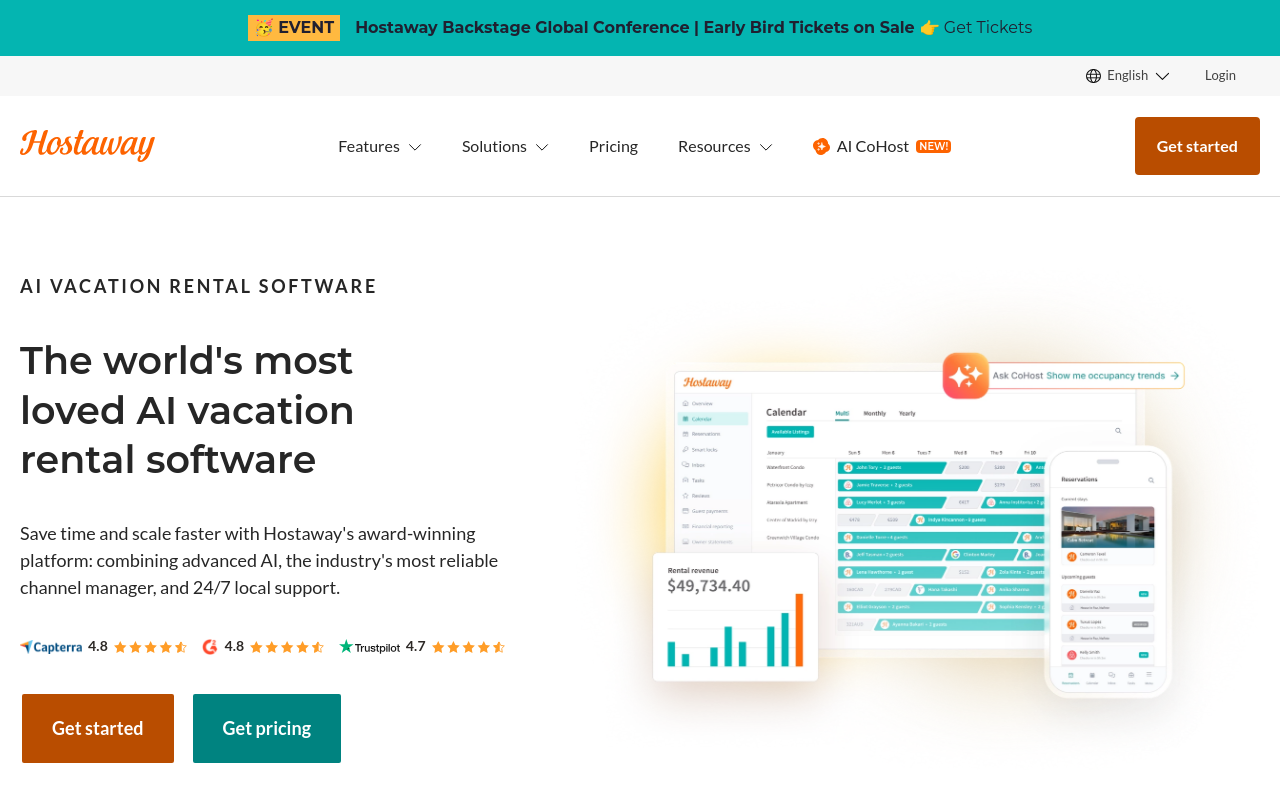
Hostaway combines channel management, messaging automation, and operations tooling in one platform. For property managers running large, multi-channel portfolios who need more than a messaging layer, Hostaway is the most comprehensive single-platform option evaluated here, though no independent benchmark data was identified during research, and operators should request a live demo against their specific channel mix before committing. It pays off at scale; it overwhelms a two-property host. If your portfolio is under ten units, the complexity-to-value ratio works against you.
4. OwnerRez - Best for Trigger-Based Scheduled VRBO Message Sequences
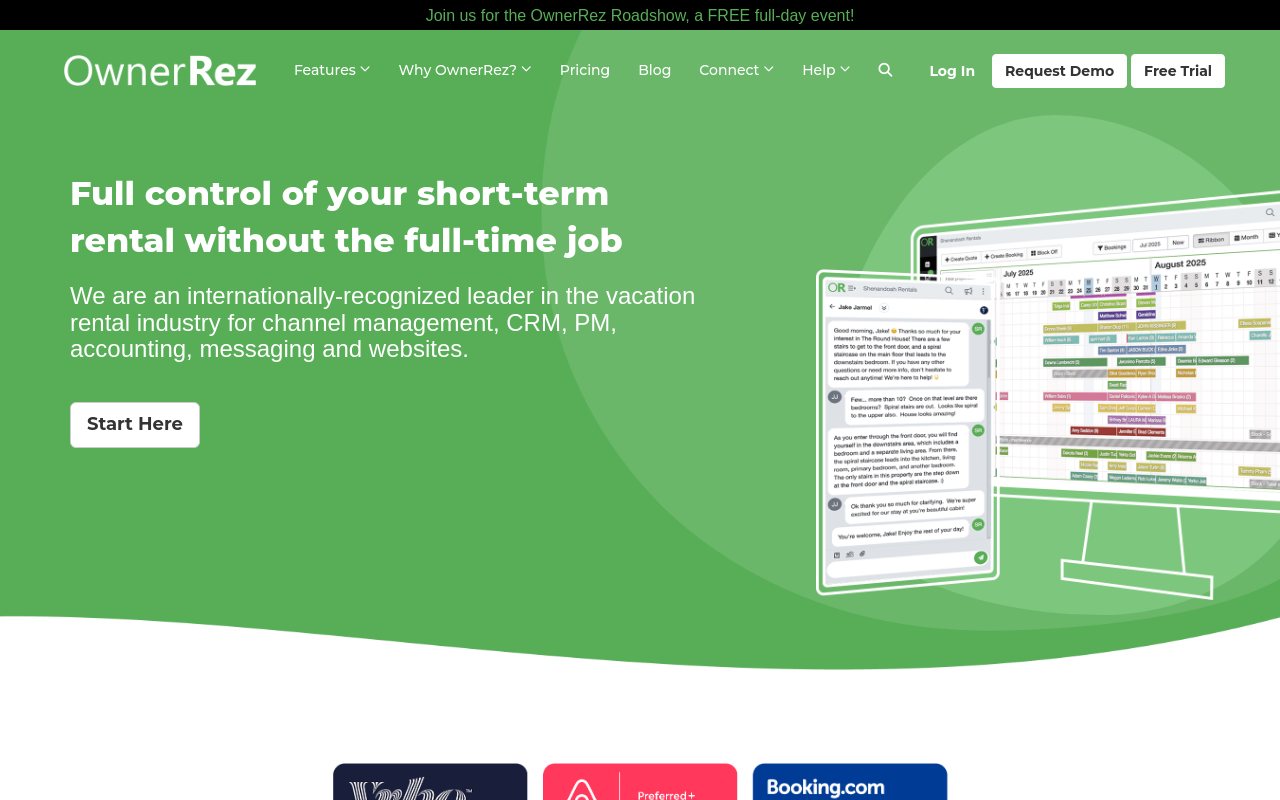
OwnerRez offers trigger-based scheduled messaging that integrates directly with VRBO and other booking channels, giving hosts the ability to fire messages based on reservation events without relying on VRBO's native template library. It is best suited to hosts who want granular control over message timing and content and who already have a direct booking site they want to coordinate with. The tradeoff is a steeper configuration curve than simpler tools like Hospitable; operators who want quick setup over flexibility will find the learning investment higher than expected.
5. Uplisting - Best for Multi-Channel Hosts Centralizing VRBO Guest Messaging
Uplisting centralizes VRBO automated messages alongside Airbnb and Booking.com communications in a single dashboard, letting hosts build one message template library that deploys across all channels simultaneously. It's the ideal fit for growing hosts who list on three or more platforms and can't afford to manage separate messaging workflows. The key limitation is that VRBO-specific message customization options are less granular than platform-dedicated tools.
Related Reading
-
Vrbo Smart Pricing
From 40% to 96% Automation - What a Real Guest Communication Infrastructure Actually Looks Like
Most operators building out VRBO automated messages hit a point where the templates are running, the triggers are configured, and the inbox is still demanding hours of daily attention. That gap between partial automation and a system that actually handles the full range of guest communication, across channels, contexts, and situations no template anticipated, is not a configuration problem. This section breaks down what creates the 40% ceiling, and what the infrastructure behind genuine automation actually requires.
The 40% Ceiling and Why It Hits Fast
Operators who have built out their VRBO template library often describe the same quiet frustration: the templates are live, the triggers are set, and the inbox is still full every morning. That frustration is not a setup error; it is a structural signal that the architecture underneath was never designed to handle what a real portfolio throws at it. VRBO's built-in automated message templates get operators to approximately 40% automation, after which they hit a ceiling when cross-channel consistency, dynamic guest data, and context-adaptive logic are required.
The remaining 60%, late-night parking questions, mid-stay maintenance requests, cross-channel follow-ups from guests who booked on one platform and messaged on another, lands in someone's inbox because templates are static scripts. They fire on a schedule. They cannot read context, pull live booking data, or respond to a conversation event that was never anticipated when the template was written.
Operators managing mid-sized portfolios feel this most acutely. Below a certain threshold, manual follow-up is annoying but survivable. Above it, the gap between 40% and genuine automation becomes a staffing problem no additional template can fix.
What the Jump to 96% Actually Requires
Erwan Le Roy's Cash Flow Street operation manages 35 properties and achieves a 96% automation rate, not because his VRBO templates are exceptionally well-written, but because he replaced the template trigger layer entirely. The workflow engine running his guest communication fires on live conversation events and dynamic guest data, not on a platform-specific schedule. That distinction is the whole game.
Haven Vacation Rentals followed the same architectural path at larger scale. Starting at 40% automation, Haven reached 90% automation across 270 properties without proportionally growing its support headcount. The shift was not incremental template improvement; it was a categorical infrastructure change: moving from platform-scheduled messages to a workflow layer operating across SMS, WhatsApp, email, and internal team channels simultaneously, triggered by what is actually happening in the guest conversation.
The Staffing Math Behind the Architecture Shift
Easy BnB's story puts a number on what that shift is worth operationally. According to a Conduit customer case study, Conduit's AI-native coordination layer allowed Easy BnB to replace 14 virtual assistants. Darren, Easy BnB's founder, consolidated his VA layer across 75 units, generating substantial monthly savings while continuing to add properties without proportionally growing headcount. The honest trade-off: this transition requires upfront investment in workflow configuration and knowledge-base buildout.
It is not plug-and-play, and operators with fewer than 10 properties may find the setup effort disproportionate to the immediate return. Most teams handle the gap between that threshold and full automation by adding people, another VA shift, a part-time coordinator, an overnight inbox manager. The hidden cost is not the salary line; it is that each person added manages per-channel rules manually, so reliability scales with human consistency rather than workflow logic.
AI for hospitality platforms like Conduit close that gap by triggering on conversation events across every channel simultaneously, so the workflow engine decides what happens next rather than a person moderating a queue at midnight. Operators are running this infrastructure at scale today, and the entry point is more accessible than most property managers expect. The next section shows exactly what getting started looks like.
Related Reading
-
Lodgify Competitors
-
Guesty Alternatives
-
Hospitable Vs Hostaway
-
Guesty Vs Hostaway
-
Lodgify Vs Smoobu
-
Guesty Vs Hostfully
-
Guesty Vs Hospitable
-
Ownerrez Vs Guesty
Next steps
If your inbox is still filling up after your VRBO templates are live, the path forward starts with recognizing that templates and automation are not the same thing. VRBO's native system covers roughly 40% of the guest journey, leaving booking confirmation, mid-stay check-ins, and post-stay review requests either unscheduled or dependent on a staff member remembering to act. Start with our AI for hospitality.
The structural ceiling matters here. VRBO's triggers fire only on booking-event schedules, which means the highest-stakes moments (pre-arrival anxiety, mid-stay issue windows, the two-hour post-checkout review window) are left entirely unaddressed by the platform. At the same time, the administrative overhead of maintaining platform-native templates grows with every new listing and every new channel, compounding in the exact direction automation is supposed to reverse. Together, those two facts point to the same conclusion: closing the gap between 40% and 90-plus percent automation requires replacing the trigger logic layer, not adding more templates to it.
Start with conduit.ai to see how event-driven workflows handle the guest touchpoints VRBO's scheduling logic was never built to reach. From there, your existing SOPs and property documentation become the knowledge base the workflow engine draws from, so the messages guests receive are consistent, on-brand, and fired on the right signal, without a person moderating each thread.
Frequently Asked Questions
Does VRBO actually send automated messages on my behalf, or do I have to send them manually?
VRBO sends only one genuinely scheduled message on your behalf: a welcome guide delivered 7 days before check-in. Everything else, including saved message templates, must still be manually selected and sent by a host or team member, because there is no trigger logic attached to them.
I saved my VRBO message template, why didn't it send?
Saving a template and activating a template are two separate actions in VRBO's system. A saved template sits in your library but will not fire until you explicitly enable it. The other most common causes of a silent failure are that the last-minute booking toggle is turned off, or the trigger window is set tighter than the booking lead time allows.
What is the 'Always send for last-minute bookings and short stays' toggle and why does it matter?
When a booking arrives close to check-in, a scheduled trigger can fall inside the lead time window and simply not fire, meaning your guest receives nothing. VRBO's toggle labeled 'Always send for last-minute bookings and short stays' is designed to prevent this, and for markets where a large share of bookings arrive close to check-in, it functions as a default requirement rather than an edge-case setting.
Can an AI automatically answer guest questions on VRBO without me being in every thread?
VRBO's native Inbox has no logic layer that reads a booking, evaluates context, and sends a message without manual intervention. conduit.ai's AI Agents close this gap by sitting above platform templates, once your SOPs and manuals are connected, the agent fires replies continuously before, during, and after a stay without manual intervention on each send.
Which messages should I prioritize if I can only automate a few touchpoints right now?
The post identifies the booking confirmation and the post-stay review request as the highest-stakes moments: the confirmation eliminates buyer's remorse within minutes of a reservation, and the review request must go out within roughly two hours of checkout while the stay is still vivid, review conversion drops sharply after that window closes. Both are moments VRBO's native toolset cannot cover with a scheduled trigger, making them the first gaps worth closing.

Stay in the loop
Get the latest on AI automation, product updates, and customer stories.


